GameMarket.gg Buyer Protection Explained: How Your Payment Stays Safe Until You Confirm
By Sir Ayup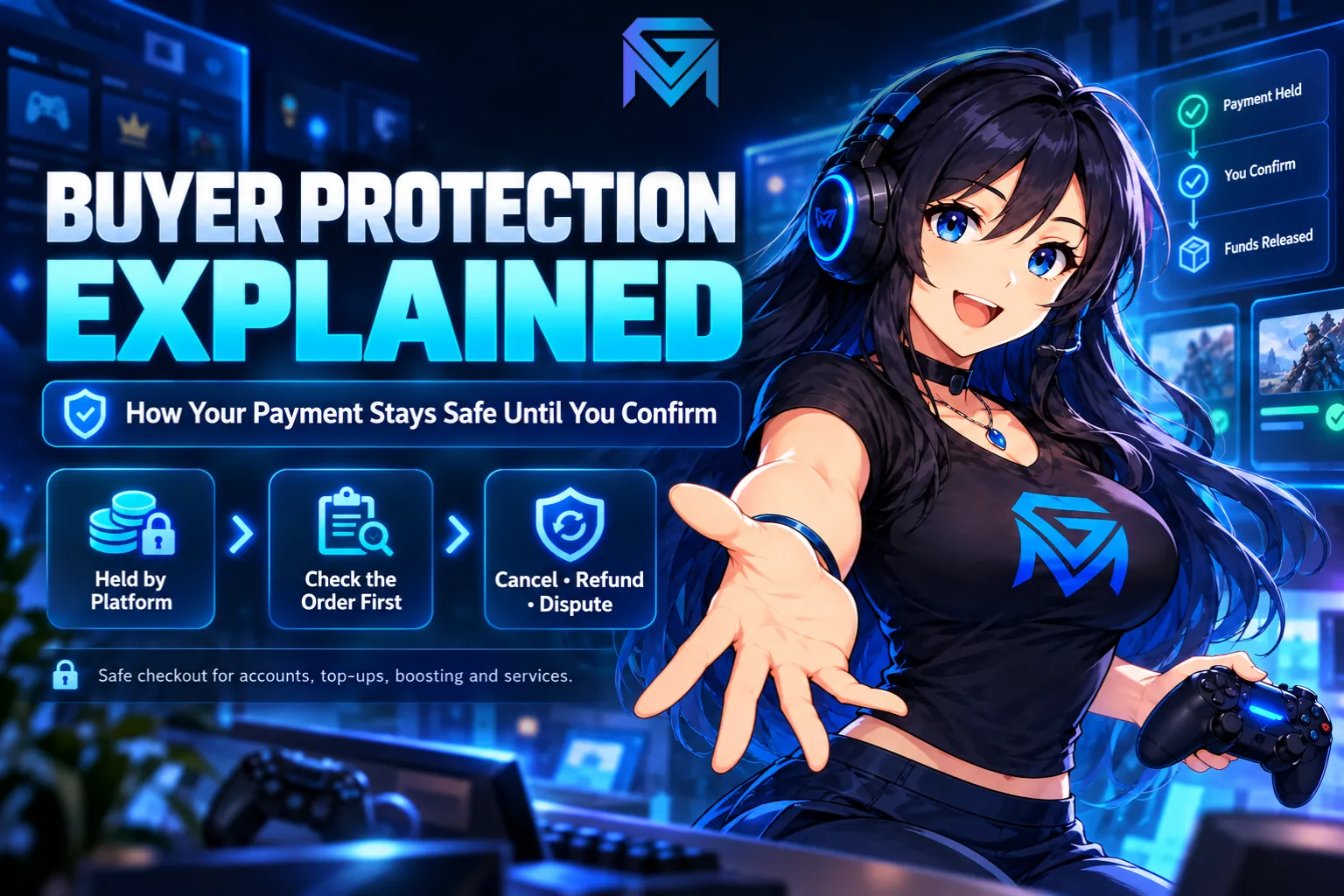
Buyer Protection is the system on GameMarket.gg that holds your payment until you confirm your order arrived as described. The seller does not touch your money when you pay. It stays with the platform while the seller delivers, while you check what you received, and while any problem gets sorted out. Only when the order is completed does the money move to the seller. That one rule is what makes it reasonable to buy a game account, a top-up or a boosting service from someone you have never met.
It also has an edge, and knowing exactly where that edge sits is what keeps you covered. This guide explains what Buyer Protection is, how it works at every stage of an order, what to check before you complete, how refunds and disputes work, and what the protection does not cover. All platform rules described here are accurate as of October 2026.
What Is Buyer Protection on GameMarket.gg?
At its core, Buyer Protection is an escrow arrangement built into every purchase. You pay, the platform holds the funds, the seller delivers, and the money is released only after the order is completed. If the order is canceled instead, the funds come back to you.
It applies to every purchase on GameMarket.gg, with no opt-in and no extra charge. GameMarket.gg does not charge buyers any fees, so the protection is simply part of the price you see. It also does not depend on how you pay. Bank transfer, QRIS, cash at a partner outlet or GM Coins all lead to the same held payment.
What changes from one order to the next is what "delivered as described" means. For an account, it means a successful handover that matches the listing. For a top-up, it means the currency showing up in your game. For a boosting or hourly service, it means the agreed work being done. The way funds are held at each step is laid out in GameMarket's escrow system, but the practical side for buyers is how you use that hold, and that is what the rest of this guide covers.
How Buyer Protection Works at Each Stage of an Order
Every order moves through a set of statuses, and each one gives you different options.
New Order is the moment right after you pay. The seller has not started yet, and both you and the seller can cancel instantly. If the seller does not reply in the order chat, or you simply change your mind, canceling here returns your money straight away. The New Order status is the most flexible point in the whole order.
Delivering means the seller is working on your order. You can no longer cancel on your own, but you can send a cancel request. The seller then accepts it, which refunds you immediately, or rejects it, which keeps the order active. If the seller does not answer a cancel request within 24 hours, the system cancels the order automatically. The details of that back-and-forth are in the Cancel Request status guide.
Delivered means the seller has uploaded proof of delivery, or proof that a service was completed. This is the stage where Buyer Protection does its most important work, because your money is still held while you check what you got. From here you can complete the order or raise an Issue. What sellers are expected to upload is explained in the Delivered status guide.
Complete is the end of the line. The funds are released to the seller, and the protection on that order is over.
The Moment Protection Ends: Completing an Order
An order can reach Complete in three ways. You can complete it yourself, which releases the money to the seller immediately. An admin can complete it as the outcome of a dispute. Or the system can complete it automatically if you stay inactive after delivery.
That last one catches people out. Automatic completion exists so sellers are not left waiting forever on buyers who forget to confirm, and the waiting time varies from market to market for security reasons. It means Buyer Protection does not wait indefinitely. If something is wrong, you need to act while the order is still Delivered, not days later.
Once an order is Complete, it can no longer be canceled or disputed. The Issue option is gone once the money has been released. That is why GameMarket.gg's own guidance for account purchases is blunt: do not complete the order immediately. Take the time to check first. How the final stage works from both sides is covered in the Completed status guide.
What to Check Before You Complete
The checks depend on what you bought. A few minutes here is the difference between protection that works and protection you gave away.
- Game accounts: Log in with the details you received and confirm the account matches the listing: server, level or rank, characters, weapons, skins, currency and anything else the listing promised. Then secure the credentials by changing the password, and update the linked email if the listing says the binding can be transferred to you. If the login fails or the account does not match, do not confirm.
- Top-ups and in-game currency: Check the balance or pass inside the game before you confirm, not just the seller's screenshot. Double-check your player ID and server before you pay, since a wrong ID can send the delivery to someone else's profile, and that is far harder to untangle than a late delivery.
- Boosting: Compare the result with what the listing and your order chat agreed on, such as the rank reached, the map explored or the quest line finished.
- Hourly services: Make sure the hours and tasks you paid for were actually done. Many hourly listings offer livestreams or progress updates, so ask for them in the order chat if you want to follow along.
Whatever you bought, keep the conversation in the order chat. The order chat is kept separate from the general chat room, so it stays attached to your order and becomes evidence if you need it.
How Refunds Work Under Buyer Protection
When an order is canceled, the money comes back to you as GM Coins, instantly. There is no refund form and no waiting for a bank. That speed means you can buy the same item from another seller a minute later.
There are five ways an order can end up canceled: you cancel a New Order, the seller cancels a New Order they cannot deliver, the seller accepts your cancel request, the system cancels after 24 hours without a reply to your request, or the seller cancels after you raise an Issue. All five refund to GM Coins, and the Canceled status guide shows how each one appears on your order.
One thing to know about that balance: GM Coins cannot be withdrawn or converted into cash. It works on any listing with no fee, but it stays on GameMarket.gg. The full picture of how that balance behaves is in GM Coins explained.
If a seller cancels New Orders on you again and again, report it. Frequent cancellations are something GameMarket.gg wants buyers to flag, and they count against the seller.
Raising an Issue Order
When something goes wrong and the seller will not fix it, the Issue Order button is how you bring in an admin. You can raise one while the order is not yet Complete, from your order page. Typical reasons include an item that never arrived, an item that does not match the listing, a seller who stopped responding, or anything that looks like fraud.
An Issue can also start on its own. If you and the seller keep sending cancel requests back and forth, or the seller keeps rejecting your cancel request, the system escalates the order to an Issue automatically. Sellers cannot raise an Issue themselves. They can respond with proof of delivery, or cancel the order and refund you.
Once the order is in Issue status, the funds stay frozen until it is resolved. Evidence is what settles it, so give the admin as much as you can:
- Screenshots of the order chat and the listing.
- Product details that show what was promised.
- Transaction records for the order.
- Video, especially for account access problems or a service that was not completed.
The admin then decides one of three outcomes: a full refund to you, full payment to the seller, or a split between both sides when responsibility is shared. Some cases are resolved within minutes, while complex ones can take several days. The decision is final, so put your strongest evidence in from the start. The full process is described in how GameMarket handles disputes and the Issue status guide.
Even after a dispute, you can still leave a review once the issue is closed, so other buyers can see how the order went.
What Buyer Protection Does Not Cover
Buyer Protection is strong, but only inside the platform and only while the order is open. Two situations fall outside it completely.
Deals made off the platform. If a seller asks you to pay through another app or a direct transfer, or to finish the deal on WhatsApp, Telegram or Discord, that transaction is not covered by Buyer Protection or the dispute system. GameMarket.gg cannot protect money it never held. Sellers who push for this face a permanent ban, and users who share contact details to move a deal elsewhere can be banned too. The reasons trading here beats loose group chats are laid out in GameMarket vs Telegram and forum trading.
Orders you already completed. Completing is your confirmation that everything is fine. After that, there is nothing left to hold and nothing left to dispute.
Your own account matters here too. Protection only helps if you are the one in control of your login, which is why account security on GameMarket.gg starts with your email and two-factor authentication.
Why Sellers Benefit From It Too
A held payment protects both sides. Sellers know the buyer's payment is real and verified before they deliver anything, and fraudulent claims are handled by the GameMarket.gg team rather than left to the seller. Delivery proof uploaded to the order page gives honest sellers a clear record, and gives admins something concrete to review if a buyer raises an Issue. That balance is a big part of why GameMarket.gg is safer than peer-to-peer trading, where one side always has to trust the other first.
The Short Version
If you only keep a few rules in mind, keep these:
- Pay only through GameMarket.gg checkout, never through outside apps or transfers.
- Keep every message in the order chat.
- Cancel a New Order if the seller does not respond.
- Check everything before completing, especially accounts.
- Raise an Issue with screenshots or video if something is wrong, before the order completes.
- Never complete an order you have not checked, because completed orders cannot be disputed.
Buyer Protection does the heavy lifting, but it works best when you know when to use it. If you want to see the full buying flow from sign-up to review, how to buy on GameMarket.gg walks through every step, and the Buyer Protection & Safety FAQ answers the most common questions. When you are ready, you can browse more than 1,700 game markets knowing every order is covered from the moment you pay.