GameMarket.gg Account Security: Email, Password and the One-Account Rule
By Sir Ayup 11 October 2026, 16:00 WIB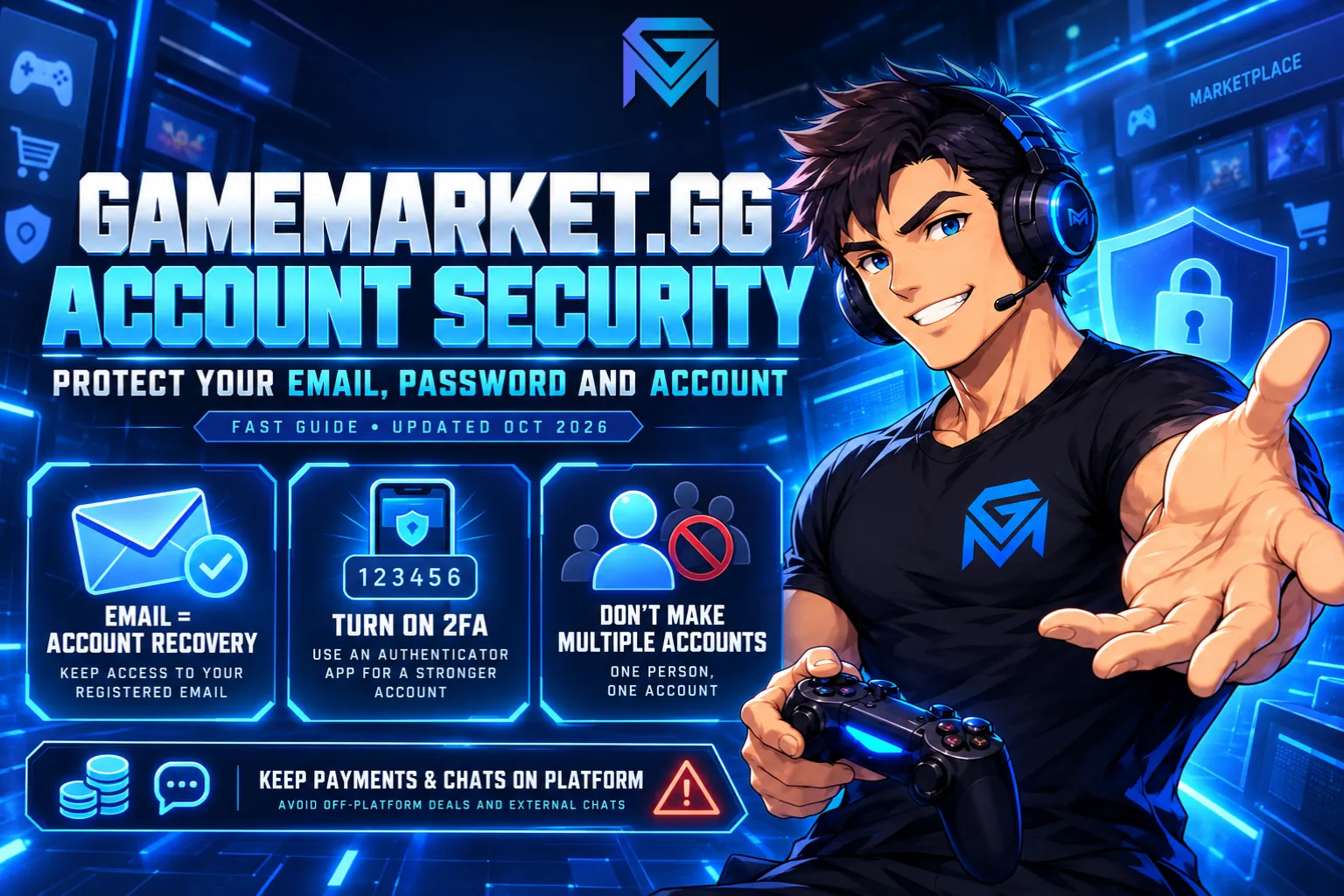
Account security on GameMarket.gg starts with a rule many users only discover when it is too late: the email you sign up with is permanent. It cannot be changed later, it is the only way to reset your password, and it ties you to a single account for good. That design blocks a whole category of account theft, but it also means the choices you make on day one matter more than on most sites. Get the email right, keep it safe, and the rest of your account is easy to protect.
This guide covers how signing up works, why you cannot change your email address, how to set up two-factor authentication, what to do if you forget your password or lose access, the one-account rule, and the habits that keep a buyer or seller account out of trouble. All platform rules described here are accurate as of October 2026.
Signing Up: Google or Email
There are two ways to create a GameMarket.gg account, and both lead to the same kind of account.
Continue with Google is the fastest. You click Login / Register, choose your Google account, and you are in, with no separate password to create and no verification email to wait for. Your GameMarket.gg login then depends on that Google account, so its security becomes your account's security.
Register with Email takes one extra step. You enter an email address and a password, create the account, and then confirm it through the verification link sent to your inbox. Here, your GameMarket.gg password and your email inbox both matter.
Either way, the email attached to the account at this moment is the one you will keep. Before you sign up, it is worth asking a simple question: will I still control this address in two or three years? A work email, a school email or an old address you rarely check are all poor choices, because the day you lose access to them is the day you can no longer reset your GameMarket.gg password. If you would rather use a dedicated address just for marketplace accounts, that is the idea behind Mailria, an email service available on GameMarket.gg.
The full sign-up and first purchase flow is walked through in how to buy on GameMarket.gg.
Can I Change My Email Address on GameMarket.gg?
No. GameMarket.gg does not allow email changes, and this is deliberate. Your email is permanently linked to your account to prevent fraud and unauthorized access.
Think about how account takeovers usually happen elsewhere. Someone gets into an account, quietly swaps the email to one they control, and from then on every password reset goes to them. The real owner is locked out of their own account. On GameMarket.gg, that move simply does not exist. Even if someone learned your password, they could not redirect the account to a new inbox.
That protection matters most for sellers, whose accounts can hold earnings waiting to be withdrawn, and for buyers with a GM Coins balance from refunds. An account that cannot be re-pointed to a stranger's email is a much harder target.
The rule covers the email only. Other personal details, such as the information in your Account Information section, can still be updated in your account settings. If you are a seller, keep those details consistent with your verification documents, since matching data is part of what makes seller verification go smoothly.
Your Security Settings: Password, Username and 2FA
Everything that protects your login sits in one place: the Security tab in Account Settings. It shows the email linked to your account and gives you three tools.
Change password. Enter your current password, then the new one twice to confirm it. If you have ever reused your GameMarket.gg password on another site, this is the first thing worth doing.
Change username. Your username can be changed, but only once every 90 days, and the page tells you the date of your next allowed change. Pick something you are happy to keep, especially as a seller, since buyers recognize your store by it.
Two-factor authentication (2FA) is the strongest protection on the page. Once it is on, logging in takes your password plus a 6-digit code from an authenticator app on your phone, such as Google Authenticator, which you can download from the Google Play Store or the iOS App Store. Even if someone learns your password, they cannot log in without your phone. For sellers with earnings waiting to be withdrawn, it is the single most effective step you can take.
Forgot Your Password? How Account Recovery Works
A forgotten password is the easy case. On the login page, click Forgot Password, enter your registered email, and follow the instructions in the reset email. A few minutes later you can log in with a new password.
If you signed up with Google, there is no GameMarket.gg password to forget. Access depends on your Google account, so recovering that Google account is what gets you back in.
The hard case is losing the email itself, whether through a deleted address, an expired work account or an inbox someone else has taken over. Here, it helps to know what support can and cannot do. GameMarket.gg admins cannot reset your password. There is no tool for it, and doing it on request is not allowed, because a password reset handed out by support would be exactly the shortcut an impostor needs. The reset link only ever goes to your registered email, so the only way back in is to regain access to that inbox through your email provider's own recovery process, then use Forgot Password as normal.
Two-factor authentication is the exception. If you lose the phone with your authenticator app, change devices without moving your codes, or delete the app by mistake, support can reset 2FA for your account. Contact GameMarket.gg Support, explain what happened, and once 2FA is reset you can log in with your password and set it up again on your new device.
This is also the strongest argument for choosing your sign-up email carefully. As long as you control the inbox, a forgotten password costs you a few minutes. Once you lose it, no one at GameMarket.gg can hand the account back to you.
One Person, One Account
GameMarket.gg expects each user to have a single account. The FAQ explains the reasoning: one account per person keeps the marketplace secure and prevents abuse of the marketplace system. The no-email-change rule reinforces it, since every account is permanently tied to one address.
There is a legitimate exception. If you need a second account for a real reason, contact support first and explain why. The seller rules state that additional accounts are allowed only when explicitly approved by support.
Creating extra accounts without that clarification is a different story. It can result in a permanent ban, and for sellers a ban means losing access to active funds and listings along with the account. Self-referrals through the affiliate program do not earn commission either, so a second account brings risk without any upside.
Age Requirements for Buyers and Sellers
Buying on GameMarket.gg has no age restriction. Selling is different: you must be at least 18 years old to be verified as a seller.
Verification also controls what parts of the site you can open. Some pages are exclusive to sellers, so a regular user will not be able to access them until they complete seller verification. If you have already verified and a seller page still refuses to load, the Troubleshooting FAQ suggests clearing your browser cache first, then contacting support if the problem stays.
Login Errors and Bugs
Sometimes the problem is not your password at all. If you hit an error while logging in, or anything on the site behaves in a way it should not, GameMarket.gg asks you to report it through its Bug Bounty Hunter program. Valid reports can even be rewarded with GM Coins, which you can spend on any listing, as explained in GM Coins explained.
When you report, describe what you were doing, what you expected to happen and what happened instead. Screenshots or a short screen recording make a bug far easier to reproduce.
The Habits That Keep Your Account Safe
Most security problems on a marketplace do not start with hacking. They start with a conversation that drifts somewhere it should not. A few habits close that door.
Keep every chat on GameMarket.gg. Sharing contact details to move a conversation to WhatsApp, Telegram or Discord is strictly prohibited and can lead to a permanent ban. It is not only a rule: once a conversation leaves the platform, there is no record for an admin to review if something goes wrong. Order conversations belong in the order chat, which is kept separate from the general chat room for exactly that reason.
Never pay outside the platform. A seller who asks for payment through a separate app or a direct transfer is breaking the rules, and that seller faces a permanent ban. Buyers who agree lose all protection, because off-platform deals are not covered by Buyer Protection or the dispute system. The difference between trading here and in loose group chats is laid out in GameMarket vs Telegram and forum trading.
Do not share your login. No seller, buyer or admin needs your GameMarket.gg password to complete an order. Anyone who asks for it is a warning sign.
Report what looks wrong. A suspicious listing can be reported directly from the listing page. For seller policy violations, submit a request through the support page. If a dispute is already open, evidence settles it fastest: screenshots of the conversation, product details, transaction records, and video when an account or service is involved.
Protect your email like it is your account. On GameMarket.gg, it effectively is. Use a strong, unique password on that inbox, and turn on whatever extra protection your email provider offers. If someone gets into your email, they can request a password reset for your GameMarket.gg account, which is exactly the situation 2FA is built to stop.
For a broader list of red flags when trading game accounts, the tips to avoid scams are a quick, useful read.
A Quick Security Checklist
If you want the short version, these are the steps worth doing today:
- Sign up with an email you will keep for years, since it cannot be changed later.
- Secure that email with a strong, unique password and any extra protection it offers.
- If you use Google sign-in, keep that Google account just as secure.
- Turn on two-factor authentication in the Security tab.
- Keep your account details up to date in account settings.
- Use one account only, and contact support before opening a second.
- Keep every chat, order and payment on GameMarket.gg.
- Never share your GameMarket.gg password with anyone.
- Use Forgot Password for a lost password; if you lose your email, recover it through your email provider, since support cannot reset passwords.
- Contact support if you lose access to your 2FA device.
- Report login errors and bugs through the Bug Bounty Hunter program.
- Report suspicious listings and users instead of engaging with them.
Your Account Is Your Reputation
On a marketplace, an account is more than a login. For buyers it holds order history, refunds and protection. For sellers it holds reviews, levels and earnings that took months to build. The rules on GameMarket.gg, from the permanent email to the one-account policy, exist to make sure all of that stays with the person who earned it.
If anything about your account is unclear, the Account & Security FAQ and the Buyer Protection & Safety FAQ answer the most common questions. And once your account is set up the right way, you can browse the game markets with confidence, or become a seller and start building a store that is protected from day one.