Order Totorial 101: "Delivered" Order Status Explained on GameMarket.gg
By GameMarket Team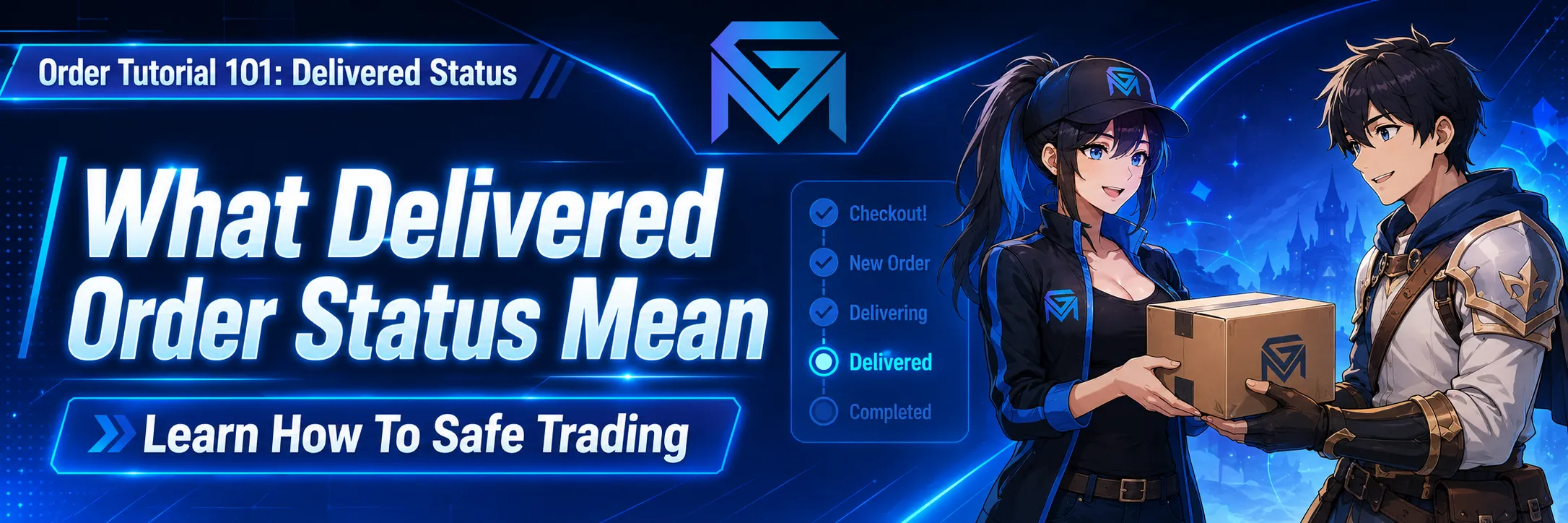
In the world of virtual goods trading—whether you are buying a high-level game account, hiring a boosting service, or purchasing a direct top-up—transparency is key. At GameMarket.gg, we have built a robust system designed to protect both Buyers and Sellers through every step of the transaction.
One of the most critical phases in our secure ecosystem is the transition from "Delivering" to "Delivered."
Many new users ask: What does this status actually mean? Is the transaction over? What should I do next?
This comprehensive guide will explain the mechanics of the "Delivered" status, how our variable Auto-Complete system works for different categories (like Top-Ups vs. Accounts).
1. The Transition: From Delivering to Delivered
The "Delivered" status is not automatic; it is an action initiated by the Seller.
When you purchase an item or service on GameMarket.gg, the order starts in New Order then Delivering phase. The status only changes to Delivered once the Seller has explicitly confirmed that they have fulfilled the order.
Critically, the Seller is required to upload a Delivery Proof. This proof is the digital evidence—usually a screenshot, a receipt ID, or a log—showing that the game currency has been sent, the account details have been transferred, or the boosting service is complete.
In short:
Status: Delivered = The Seller claims the work is done and has provided evidence to back it up.
2. The Buyer’s Guide: What To Do When Your Order is "Delivered"
Once you receive the notification that your order is "Delivered," the ball is in your court. As a Buyer, you have three primary courses of action. It is vital to understand each one to ensure your trading experience is safe.
A. Verify the Order (The "Trust but Verify" Rule)
Before you do anything else, check the work. Do not blindly accept an order.
-
Action: Go to your transaction page and click "View Delivery Proof."
-
What to look for: Compare the Seller's proof against your actual game account. Did the Diamonds/UC/VP arrive? Can you log into the account purchased? Is the rank boost accurate?
B. The Happy Path: Manually Completing the Order
If you have checked the Delivery Proof and confirmed that your items have arrived safely, we encourage you to finalize the transaction.
-
Action: Click the "Complete Order" button.
-
Result: This immediately marks the transaction as successful. The funds held in GameMarket's secure escrow are released 100% to the Seller.
-
Why do this? Manually completing orders builds your reputation as a good Buyer and helps Sellers get paid faster, encouraging them to provide you with better service in the future.
C. The Passive Path: Letting Auto-Complete Take Over
We understand that sometimes you might be busy or forget to check back immediately. If you do not click "Complete Order" and do not raise an issue, the system will assume the transaction went smoothly.
How Auto-Complete Works:
After a specific duration, the order will automatically change to "Completed," and funds will be released to the Seller.
Variable Timeframes:
The "Waiting Period" is not fixed; it adapts to the Market Type to ensure maximum safety:
-
Top-Up Markets: These usually have a faster Auto-Complete timer. Since game currency (like Mobile Legends Diamonds or Valorant Points) is verified quickly, there is no need for a long wait.
-
Account Markets: These have a longer Auto-Complete timer. Buying a game account requires more time to secure the email, change passwords, and ensure the account isn't reclaimed.
Typically, the standard window is around 3 days (72 hours), but always check the specific timer on your order page.
D. The Safety Net: Raising an Issue
What if the status is "Delivered," but you haven't received anything? Or what if the Delivery Proof is a fake screenshot?
Do not panic. Your money is still safe.
-
Action: Click the "Issue Order" button immediately.
-
Result: This pauses the Auto-Complete timer instantly. The order status changes to "Issue."
-
What happens next? This summons a GameMarket.gg Admin to the transaction. The Admin will review the evidence, chat with both parties, and act as an arbitrator. If the Seller failed to deliver, your funds will be refunded.
3. The Seller’s Perspective: Getting Paid
For Sellers, the "Delivered" status is the final step before revenue is realized. Once you have uploaded your proof and changed the status, you are in the "Waiting Period."
A. Waiting for the Buyer
Ideally, the Buyer receives the item, verifies it, and clicks "Complete Order." This is the fastest way to get your funds released to your balance.
B. Relying on Auto-Complete
If a Buyer goes silent after receiving their goods (ghosting), you do not need to worry about losing your money. You do not need to chase the Buyer.
-
Simply wait for the timer to run out.
-
Once the system countdown hits zero (approx. 3 days, depending on the category), the system overrides the Buyer's silence and completes the order for you.
Summary: The GameMarket.gg Ecosystem
Our goal is to create a marketplace where fraud is impossible and trading is seamless. By understanding the Delivered status, you utilize the full power of our protection system.
-
Buyers: You are protected by the "Issue Order" button and the verification window.
-
Sellers: You are protected by the "Auto-Complete" feature, ensuring you get paid even if a buyer forgets to confirm.
Safe trading is not just a promise; it is a system we built into the core of GameMarket.gg.
Happy Trading!