Wuthering Waves Lunite Guide: Platforms, Regions and Server Binding
By John Ganang
Lunite is Wuthering Waves' premium top-up currency, and it is credited to the specific server and UID you select at checkout, not to the storefront account you paid through. Because Apple, Google, Sony, and the PC client (the platforms Wuthering Waves is playable on) run independent purchase systems, Lunite bought through one platform often cannot be spent from another.
What Is Lunite and How Is It Different From Astrite?
Lunite is the currency you buy with real money, while Astrite is the currency you spend on Convenes and Radiant items; Lunite converts into Astrite (and related bundles) at a fixed rate the moment you complete a top-up. The distinction matters because only Astrite (and the free Astrite you earn through play) can be obtained without spending, while Lunite has no in-game farming path at all. Kuro Games sells Lunite in fixed denominations and as recurring subscription passes, and both routes ultimately hand you Astrite, Convene-adjacent items, or cosmetic currency, depending on which package you choose. Players sometimes assume Lunite and Astrite are interchangeable names for the same balance, but the game's own store keeps them as two separate line items: one you purchase, one you spend, connected by a conversion step that happens automatically after checkout. Newer players who want the fuller picture of how Astrite fits into early progression, alongside Resonators and Echoes, can start from GameMarket.gg's Wuthering Waves beginner's guide before deciding how much Lunite to buy.
Which Platforms Sell Wuthering Waves Lunite?
Wuthering Waves sells Lunite on every platform the game runs on: the official PC client, iOS, Android, and PlayStation 5, each through that platform's own storefront. Pricing, available bundle sizes, and payment methods differ slightly by storefront because each one sets its own billing rules. On PC, Lunite purchases go through the official launcher's payment page, which supports cards and regional wallets depending on your billing country. On mobile, the purchase runs through the Apple App Store or Google Play billing flow, meaning it inherits whatever payment methods, taxes, and refund windows those stores apply everywhere else. On PS5, the purchase goes through the PlayStation Store wallet, so you need PSN funds or a linked card before you can complete it. None of these differences change what Lunite does once it lands in your account, but they do change how fast a purchase confirms and how a refund or billing dispute has to be handled, since each storefront resolves those on its own terms rather than through Kuro Games directly.
How Does Server Selection Affect a Lunite Purchase?
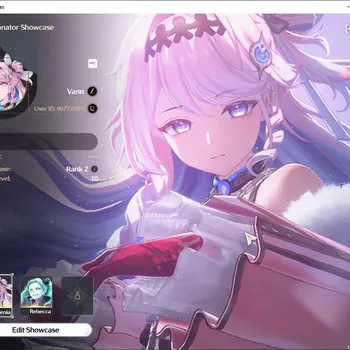
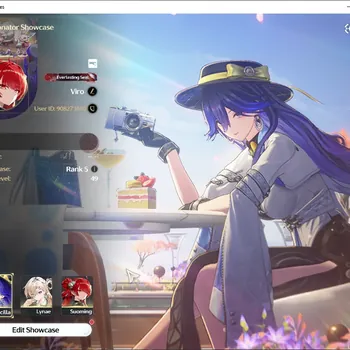
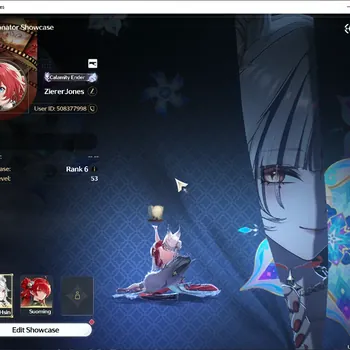
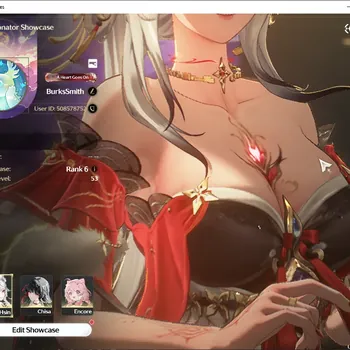
Every Lunite purchase is tied to the server region and UID you have logged into at the time of checkout, so selecting the wrong server sends currency to an account you did not intend to fund. Wuthering Waves splits players across America, Europe, Asia, SEA, and HMT (Hong Kong, Macau, and Taiwan) server regions, and an account's server is fixed the first time it logs in and cannot be changed afterward. This is different from many mobile games where a single top-up applies account-wide; here, the storefront purchase screen (or a third-party top-up order) has to reference the exact server and in-game UID, because Kuro Games' backend credits Lunite to that specific server's ledger. If a player has multiple UIDs on different servers, perhaps from testing the game early on one region and later settling on another, only the UID entered at checkout receives the currency. Double-checking the UID and server name against the in-game profile screen before confirming any purchase is the single most common piece of advice repeated across community purchase guides, precisely because this mistake cannot be reversed by Kuro Games' support in most cases. The UID itself sits on the in-game profile card, usually reached by tapping the player avatar in the top-left corner of the main menu, and it is a numeric ID rather than a display name, so it needs to be copied exactly rather than approximated. Players who are unsure which region their account actually landed in, especially after playing briefly at launch and returning later, can confirm both the server and UID through the same profile screen; GameMarket.gg's breakdown of Wuthering Waves regions and UIDs covers how the five server regions are laid out and what cross-save does and does not carry between them.
Do Lunite Prices Change by Region or Payment Method?
Lunite's listed price for a given bundle size can vary by billing region and by which storefront processes the payment, because each storefront applies its own local pricing, currency conversion, and tax rules on top of Kuro Games' base pricing. A PC purchase billed in one country's currency will not necessarily convert to the same amount as the equivalent PlayStation or mobile purchase billed in another, since Sony, Apple, and Google each set regional price tiers independently rather than mirroring a single global price list. Local VAT or sales tax is typically added at checkout rather than folded into the displayed price, so the final charge can be slightly higher than the sticker amount shown in the store listing. This is separate from the bundle-size discount mentioned earlier, where larger one-time Lunite tiers carry a modestly better rate than the smallest tier; that scaling applies within a single storefront's price list, not across storefronts. Because exact figures shift with currency rates and platform promotions, the reliable way to compare cost per Lunite is to check the current listing on the platform intended for the purchase rather than relying on a fixed number from an older guide.
How Do Third-Party Top-Up Sellers Deliver Lunite?
Third-party top-up sellers deliver Lunite by placing an order with the same server and UID information a player would enter on the official storefront, then crediting the currency directly to that account, typically within minutes of payment confirming. This works because Lunite delivery is UID-and-server based rather than tied to a specific storefront login, so a seller with access to a bulk purchasing channel or regional pricing advantage can still route currency to any valid Wuthering Waves account. The main practical difference from an official purchase is who is handling the transaction and what payment methods are accepted; the underlying result, Lunite appearing on the specified server, is identical either way once delivery completes. Because delivery depends entirely on accurate UID and server details, the same double-check that applies to official storefront purchases applies here as well, and a seller who does not ask for both pieces of information is not equipped to fulfill a Wuthering Waves top-up correctly.
Can Lunite Bought on One Platform Be Spent on Another?
Lunite purchased through one storefront is generally not visible or spendable from a different platform's client, even when both clients are logged into the same game account and server. Apple, Google, Sony, and PC operate independent billing ledgers, and Wuthering Waves' cross-platform support covers character progress, Union Level, and Convene history, but it does not merge wallets across storefronts. In practice this means a player who buys Lunite on their phone and then switches to playing on PC that same day will not see that balance appear on PC; the purchase stays tied to the mobile storefront's transaction record. The common workaround players use is to spend Lunite on the platform where it was purchased, typically converting it to Astrite and using that Astrite for a Convene right away; once a Resonator or item is pulled, it belongs to the account and appears identically on every platform the account logs into afterward, because character and roster data sync through the server rather than through the storefront.
What Happens to Lunite or Astrite If You Change Servers or Devices Later?
Once a server is fixed at first login, it stays fixed permanently, and any Lunite, Astrite, characters, or Data Bank progress tied to that server do not transfer if a player later starts fresh on a different region. This is a stricter rule than server selection at signup in many other live-service games, and it is worth confirming before any purchase, not after. Switching devices (say, moving from mobile to PC) does not have this restriction as long as the player logs into the same account and the same server; progress, Union Level, and any Astrite balance appear identically because that data lives on the server, not on the device. The restriction only bites when someone tries to change the server itself, which Wuthering Waves does not support once an account has logged in for the first time. Anyone planning to buy a substantial Lunite bundle should treat the server choice as the first decision, made before the first purchase, rather than something to revisit later.
How Do Lunite Subscriptions and One-Time Bundles Work?
Wuthering Waves sells Lunite two ways: one-time bundles that credit a fixed amount immediately, and a recurring subscription pass that pays out a smaller amount of Astrite or Lunite-equivalent value every day for a set number of days after purchase. One-time bundles are priced in fixed Lunite tiers, and larger tiers typically carry a modestly better Lunite-per-currency rate than the smallest tier, which is standard practice across most gacha-style storefronts. The subscription-style pass, sometimes bundled with a small immediate bonus, is a separate purchase from the bundles and needs to be renewed manually each cycle since it does not auto-renew by default on every platform. Both purchase types are still bound by the same server and platform rules already covered: a subscription bought on mobile pays out to the mobile-linked storefront record, tied to the server active at the time of purchase, the same as a one-time bundle would be. Players trying to decide how large a bundle to buy often find it useful to first work out how much Astrite a planned Convene actually needs; GameMarket.gg's Astrite calculation and pull income breakdown walks through that math directly.
What Should You Double-Check Before Confirming a Purchase?
Before confirming any Lunite purchase, verify the in-game UID and server region shown on the purchase screen match your profile, confirm you are buying on the platform you intend to spend from, and check the storefront's own refund policy since Kuro Games does not directly process refunds for platform-billed purchases. Community purchase guides consistently flag the UID and server mismatch as the most common and least reversible mistake, since Kuro Games support treats currency delivered to the correct UID as delivered, even if it was not the UID the buyer meant to fund. It is also worth checking whether a livestream or version-update redemption code is active before spending on a bundle that a free code might partially cover; Kuro Games periodically issues these through official livestreams ahead of major version updates. Finally, players buying through a third-party top-up service rather than the official storefront should confirm the seller explicitly asks for both the UID and the server region, since a listing that only asks for an email or account name is not set up to deliver Lunite correctly under Wuthering Waves' server-bound system. Players leaning free-to-play who want to reduce how much Lunite they need in the first place can also compare notes against GameMarket.gg's F2P Astrite and Convene roadmap, which lays out how far the game's free Astrite sources stretch before a top-up becomes necessary.
Where to Find Wuthering Waves Accounts, Top Up and More
Players who want to skip the platform and region bookkeeping altogether can browse Wuthering Waves top-up listings for Lunite delivered directly to a chosen server and UID, check Wuthering Waves accounts for sale for profiles that already come with an established server and Union Level, or start from the Wuthering Waves marketplace hub to compare every available category side by side.
Frequently Asked Questions
Does Lunite expire? No, Lunite and the Astrite it converts to remain on the account indefinitely once credited; there is no expiration window attached to a standard purchase.
Can I get a refund on a Lunite purchase? Refunds are handled by the storefront you paid through (Apple, Google, Sony, or the PC payment provider), not by Kuro Games directly, so the relevant platform's own refund window and rules apply.
Is there a free way to get the equivalent of Lunite? No; Lunite itself has no free source, but Astrite (what Lunite converts into) can be earned through daily Guidebook activity, Tower of Adversity, Whimpering Wastes, and version-update redemption codes.
Does buying Lunite on mobile also credit my PC account? Only if you are logged into the same server and UID, and even then the purchase record itself stays tied to the storefront you paid through; the resulting Astrite or pulled items are what appear identically across platforms.
Anyone who would rather skip the checkout steps entirely can pick up Lunite already delivered to the right server through GameMarket.gg's Wuthering Waves top-up section.
GameMarket.gg is a trusted digital marketplace for everything gaming-related. We serve the gaming community by providing secure access that enhances every gaming journey.