How to Buy a Genshin Account Safely: What to Check First
By Sir Ayup 8 October 2026, 14:00 WIB
Before you buy a Genshin account, check one thing ahead of the roster: who controls the email bound to the HoYoverse account. Changing that email requires a code sent to the current address, so if the seller keeps the inbox, they keep a way back in, and they can also reclaim the account through support with their old top-up receipts. Once email control is settled, a safe purchase comes down to matching the server and roster to the listing, paying through a checkout that protects you, and locking the account down in the first hour.
This guide walks through what to check first, in the order it matters, so you know which listings to skip before any money changes hands.
Why Email Control Comes Before Everything Else
A Genshin Impact account is a HoYoverse account, and the email bound to it is the master key. It is used to log in, to reset the password, and to approve any change to the account's security details. Changing the bound email is done through the HoYoverse account center and needs a verification code from the current email first, then one from the new address.
That makes the email the single most important detail in any listing. Sort what the seller offers into one of three cases:
- Full email access: you receive the HoYoverse login and access to the email inbox itself. You can move everything to your own address straight away.
- Seller-assisted email change: the seller keeps their inbox but agrees to change the bound email to yours during the handover, entering the code from their side. This works, but only if it happens before you release payment.
- Login only: you get the HoYoverse email and password with no inbox access and no email change. The seller can reset the password whenever they like. Skip these listings.
There is a second reason email matters. When an account is disputed, HoYoverse support decides ownership based on evidence such as the registered email, the UID, the device and region where it was first used, and records of past top-ups. A previous owner who still holds the email and the purchase receipts has a much stronger claim than you do. Moving the email to your own address removes the easiest route back.
Server, Platform and Linked Logins
Genshin Impact progress is stored per server: America, Europe, Asia and TW, HK, MO. A character roster on the Asia server does not exist on the America server, and progress cannot be moved between them. Confirm the server first, especially if you want to play co-op with friends, since co-op only works between players on the same server.
Platform matters less, because the same HoYoverse account loads the same progress on PC, mobile and PlayStation. The details of what carries over and what does not are covered in how Genshin handles cross-platform play and co-op. The part that affects a purchase is linked logins:
- Google, Apple, Facebook, X or Game Center: if any of these are linked, the person who controls that login can sign in through it. Ask which third-party logins are linked, and make sure each one is either handed over or unlinked during the handover.
- PlayStation Network: a HoYoverse account linked to a PSN account stays tied to that PSN account and cannot be freely unlinked. If the account was played on PlayStation, you either need that PSN account too or accept that you will only play on PC and mobile.
What to Check on the Account Itself
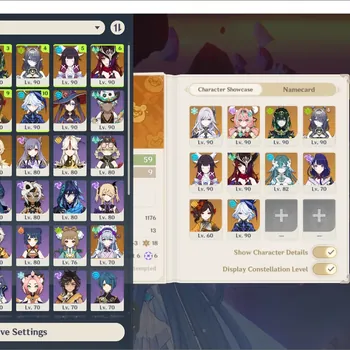
The listing title usually leads with the biggest selling point, often a few limited 5-star characters. The real value sits in details that are easy to blur, so ask for screenshots or, better, a short screen recording that shows:
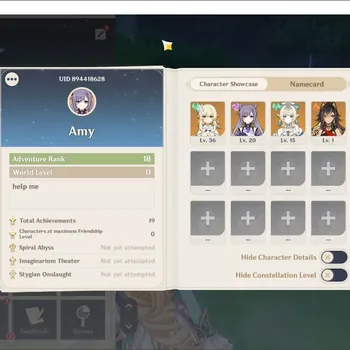
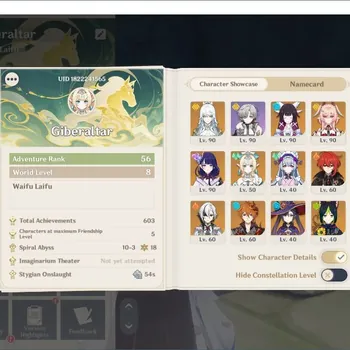
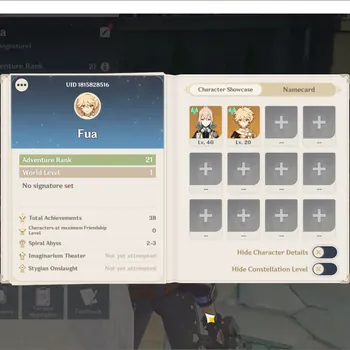
- The UID and Adventure Rank on the profile screen, so every other screenshot can be matched to the same account.
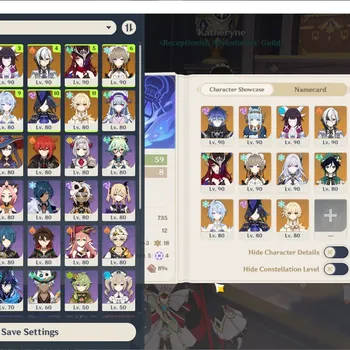
- The full character list, with constellation levels visible for the characters you care about.
- Signature and 5-star weapons, with refinement levels.
- Primogems, Intertwined Fates and Starglitter, since unused currency adds real value.
- Wish history and pity, which shows what was pulled recently and how close the account is to its next guaranteed 5-star.
- Exploration progress and achievements, if you care about story and map completion.
A roster can look impressive and still be awkward to play. Five-star characters spread across unrelated elements may not form a single strong team, while a smaller roster built around a few reactions often clears content more easily. If you are unsure how to judge that, the elemental reactions and team-building fundamentals explain what makes a lineup work.
Starter Accounts vs Developed Accounts
Most Genshin accounts for sale fall into two groups, and the risks are different.
- Starter accounts: low Adventure Rank accounts with one or two 5-star characters, often created specifically to sell. They are cheap and usually come with a fresh email that the seller hands over in full. The main things to check are the server and that the email inbox is included.
- Developed accounts: high Adventure Rank accounts that someone has played for months or years, with built characters, artifacts and exploration done. They cost more and carry a higher risk of a past owner trying to reclaim them, because that owner has the top-up history and memories of the account that support may ask about.
For a developed account, ask whether the seller is the original owner, whether the account has ever been sold before, and whether any top-ups were refunded or disputed. Refunded purchases can lead to penalties on the account after you have already paid for it. Recent limited characters are a common selling point, so it helps to know which banners have run lately, such as the characters featured in the Version 7.1 update, when you compare listings.
Red Flags That Should End the Conversation
Walk away from a listing if you see any of these:
- Screenshots that crop out the UID, or that look edited or reused from another listing.
- A seller who will not say whether the email inbox is included or whether they will change the email to yours.
- A price far below similar accounts with the same characters and constellations.
- Pressure to pay quickly, or a request to move the chat and payment to a private app.
- A request for your own HoYoverse login details for any reason.
- A seller who refuses to show the account live on video before payment.
One red flag is enough. Another listing will always come along, while a scam costs you the full price.
Where to Buy a Genshin Impact Account Safely
It is worth being clear about the rules first. HoYoverse's terms do not allow accounts to be bought, sold or transferred, and HoYoverse will not step in if a private sale goes wrong. If a sale is flagged, the account can be restricted, and the company does not refund what you paid to a seller. Every account sale happens outside official support, so the way you pay is your only real protection.
So the safe place to buy a Genshin Impact account is one that protects the money rather than one that promises the most characters. Look for these features before you choose where to buy:
- Payment held in escrow until you confirm the handover, rather than going straight to the seller.
- A dispute process that can return your money if the login fails, the account does not match the listing, or the seller takes it back.
- Seller history and reviews you can read before buying.
- All communication kept on the platform, so the chat log can be used as evidence.
Paying a stranger directly by bank transfer, gift card or crypto removes all of that, and money sent that way is almost never recovered. Whichever marketplace you use, the same test applies: a listing for Genshin Impact accounts should state the server, the roster and the email access clearly, and the checkout should hold your payment until you have confirmed all three yourself.
The First Hour After You Buy a Genshin Account
The first hour after handover is when a seller can still undo the sale. Work through these steps before you spend a single Primogem:
- Log in to the email inbox and change its password, then remove any recovery phone or backup email that is not yours.
- Change the HoYoverse account password through the account center.
- If you did not receive the original inbox, change the bound email to your own address now, with the seller providing the code.
- Check the linked third-party logins and unlink any you do not control.
- Log in on your own device, confirm the UID, characters and currency match the screenshots, and only then release the payment.
Keep the purchase records and chat history afterwards. If the account is ever disputed, they are your evidence.
The Full Checklist, in Order
Put together, buying a Genshin account safely follows the same order every time:
- Confirm the email inbox is included, or that the seller will change the email to yours.
- Confirm the server and which platforms and third-party logins are linked.
- Match the UID, characters, constellations and weapons to a live recording.
- Ask about the account's history, previous sales and any refunded top-ups.
- Skip any listing with a red flag.
- Pay only through a checkout that holds funds until you confirm.
- Secure the inbox, password, bound email and linked logins in the first hour.
- Release payment only after everything matches.
If you remember only one item, make it the first. A great roster on an account someone else can still log in to is not really yours.
With the checks done, what is left is choosing the account and making the most of it. You can browse Genshin Impact Accounts that state their server, roster and email access up front, hand the daily Resin and exploration routine on your new account to a player through Genshin Impact Hourly Services, or clear Spiral Abyss and other endgame goals with Genshin Impact Boosting.
GameMarket.gg is a trusted digital marketplace for everything gaming-related. We serve the gaming community by providing secure access that enhances every gaming journey.