Blood Strike Account Safety: How to Avoid Scams
By John Ganang
A Blood Strike account buying checklist exists for one reason: some things about an account can never be changed after you pay, and those are exactly the things you have to verify before the money moves. The server is fixed, the original login is the real key, and the skins and rank you are paying for either exist on the account or they do not. Get those confirmed inside a protected transaction and the purchase is routine; skip them and you are trusting a stranger blind. This checklist is the practical companion to the trust question we answer in whether it is safe to buy Blood Strike accounts, turning that yes into a short list of checks you can run in a couple of minutes.
⚡ What belongs on a Blood Strike account buying checklist?
Six checks cover almost every way a purchase goes wrong: the server, the platform, the login type, the inventory, the payment method, and the post-sale rebind. Run them in that order and you verify the permanent things first, before you commit any money.
The list is short because most buyer regret traces back to the same handful of misses, not to bad luck. Here is the whole checklist at a glance, and the sections below explain how to actually confirm each one:
- Server: confirm the region, because it is bound to the account and cannot be switched later.
- Platform: check it works on your device, even though Android, iOS, and PC share cross-play.
- Login type: know whether it is guest, Google, Facebook, Apple, or NetEase, so you know how cleanly it transfers.
- Inventory: match every claimed skin and rank against real screenshots.
- Payment: keep it inside escrow so the seller is paid only after you confirm.
- Rebind: plan to lock the account to your own credentials the moment you receive it.
🌍 How do you confirm the server and platform?
Read the listing for the server region first, because it is the one detail cross-play will not fix for you. Blood Strike runs separate servers for Asia, Europe, America, and South America, and an account bound to a distant region means high ping on every match no matter how good the skins are.
Region sits permanently on the account, so buying into the wrong one is the single mistake you cannot undo after purchase. That is why it heads the checklist: everything else can be improved later, but the server cannot. If the listing does not state the region clearly, treat that as a reason to ask before you pay, and use our walkthrough on how to check the server on a Blood Strike account to see exactly where that detail shows in-game. Platform matters for a different reason. Cross-play lets Android, iOS, and PC players share matches, but the login method still has to work on your device, so a purely Apple-bound account is awkward if you play on Android. Confirm both before you go further.
🔑 How do you check the login type and ownership transfer?
Ask which login the account uses and who controls its recovery route, because whoever holds the original email or social binding holds the real keys. A password alone is not ownership; the underlying guest, Google, Facebook, Apple, or NetEase binding is what actually secures the account.
This is the check that separates a clean handover from a slow-motion scam. A seller can give you a working password today and quietly keep the recovery email attached, which means they can pull the account back weeks later. So the question is not "what is the password" but "can I fully replace the login that recovers this account." Guest accounts and accounts you can rebind to your own email or social login transfer most cleanly, whereas a login you cannot detach is a red flag to raise before payment, never after. If any of this is unclear, the full transaction routine lives in our guide on how to buy a Blood Strike account safely.
🎯 How do you verify the skins, rank, and inventory?
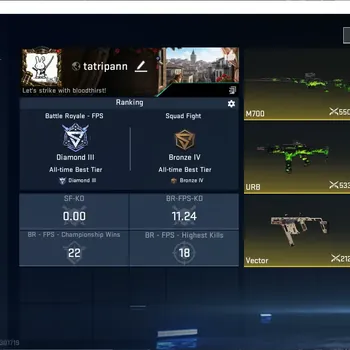
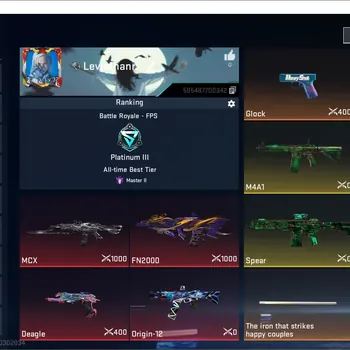
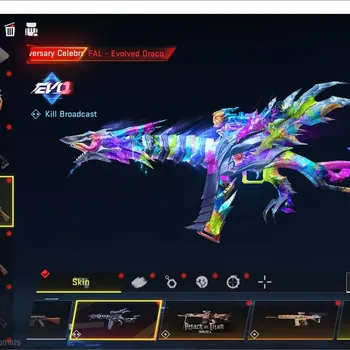
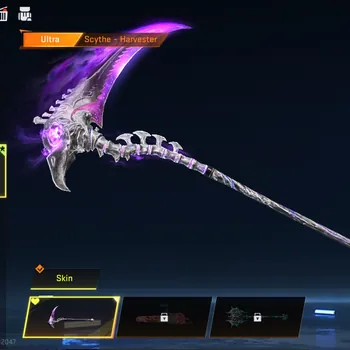
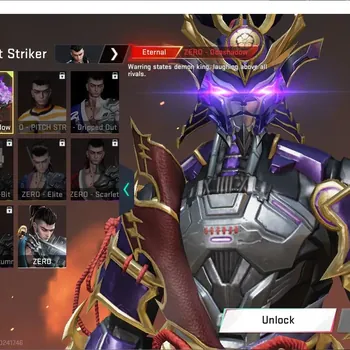
Match every claim on the listing to a real screenshot of the account's collection and rank screens. A Blood Strike account's price is driven mostly by its skins and rank, so a listing that hides its inventory is hiding the very thing that sets its value.
Because value tracks the collection, the inventory shot is the most important evidence in any listing, and its absence tells you more than its contents would. Check the rarity of what is shown, since the ladder runs from Legendary up through Limited and Ultra tiers, with collab items in their own bracket; an account described as loaded but showing only common guns is priced on a promise. Confirm the rank too, because the ladder climbs Bronze, Silver, Gold, Platinum, Diamond, Master, and Legend, and a claimed Legend account should show that badge, not just the words. For collab skins specifically, remember they were sold only for a limited window; some may return through a rerun or a follow-up series, but that is never guaranteed, so buy for what is on the account now rather than a hoped-for comeback. Our breakdown of what drives Blood Strike account prices shows how skins and rank translate into a fair number, and our guide on how to evaluate a Blood Strike account before buying covers what a genuine inventory screen should prove.
🛡️ How do you make sure the payment is protected?
Pay only through a system that holds your money until you confirm delivery. Buyer Protection is escrow: the platform keeps your payment and releases it to the seller only after you verify the account arrived exactly as described, which removes the entire pay-first-and-get-ghosted risk.
Escrow works because it flips the seller's incentive, since they are paid only by handing over an account that matches the listing, so accuracy becomes the condition of the sale rather than a favor. The rule that keeps this protection intact is simple: every message, payment, and handover stays on the platform, because the moment you move to an outside chat app or a direct bank transfer, you leave escrow behind and lose any way to dispute. If something is wrong or the account never arrives, an on-platform dispute is resolved on the evidence both sides provide, which only works when the deal lived inside the system the whole way through. The wider mechanics of a clean sale on both sides sit in our Blood Strike account buying and selling guide.
🔒 What do you do the moment the account is yours?
Rebind the account to your own credentials before you play a single match or spend any Strike Gold. Change the password, remove the seller's old social logins, bind your own email or social account in their place, and switch on any two-step verification the account supports.
This is the step that turns "the seller says it is yours" into an account that is provably yours, and it is why the login check earlier on the list mattered so much. Since the original binding is the real recovery key, leaving the seller's Google or Facebook login attached means they keep a working route back in, so swapping it for your own is what finally closes the door. Do this first, because anything you invest afterward, whether Strike Gold, a Strike Pass, or rank progress, is only safe once ownership is locked to you. If a login genuinely cannot be replaced, settle that through Buyer Protection before you confirm the order rather than confirming and hoping.
Run those six checks and buying stops being a gamble and becomes an ordinary purchase you can undo if anything is off. When you are ready, browse verified Blood Strike accounts to find the exact server, rank, and skins you want, top up your Strike Gold directly through the Blood Strike top-up store if you would rather fund an account you already trust, and check the full Blood Strike marketplace for every listing currently in stock, each order covered by Buyer Protection from checkout to the moment you confirm.
GameMarket.gg is a trusted digital marketplace for everything gaming-related. We serve the gaming community by providing secure access that enhances every gaming journey.