How to Withdraw Money From GameMarket.gg: Methods, Fees and Processing Time
By Sir Ayup 11 October 2026, 08:00 WIB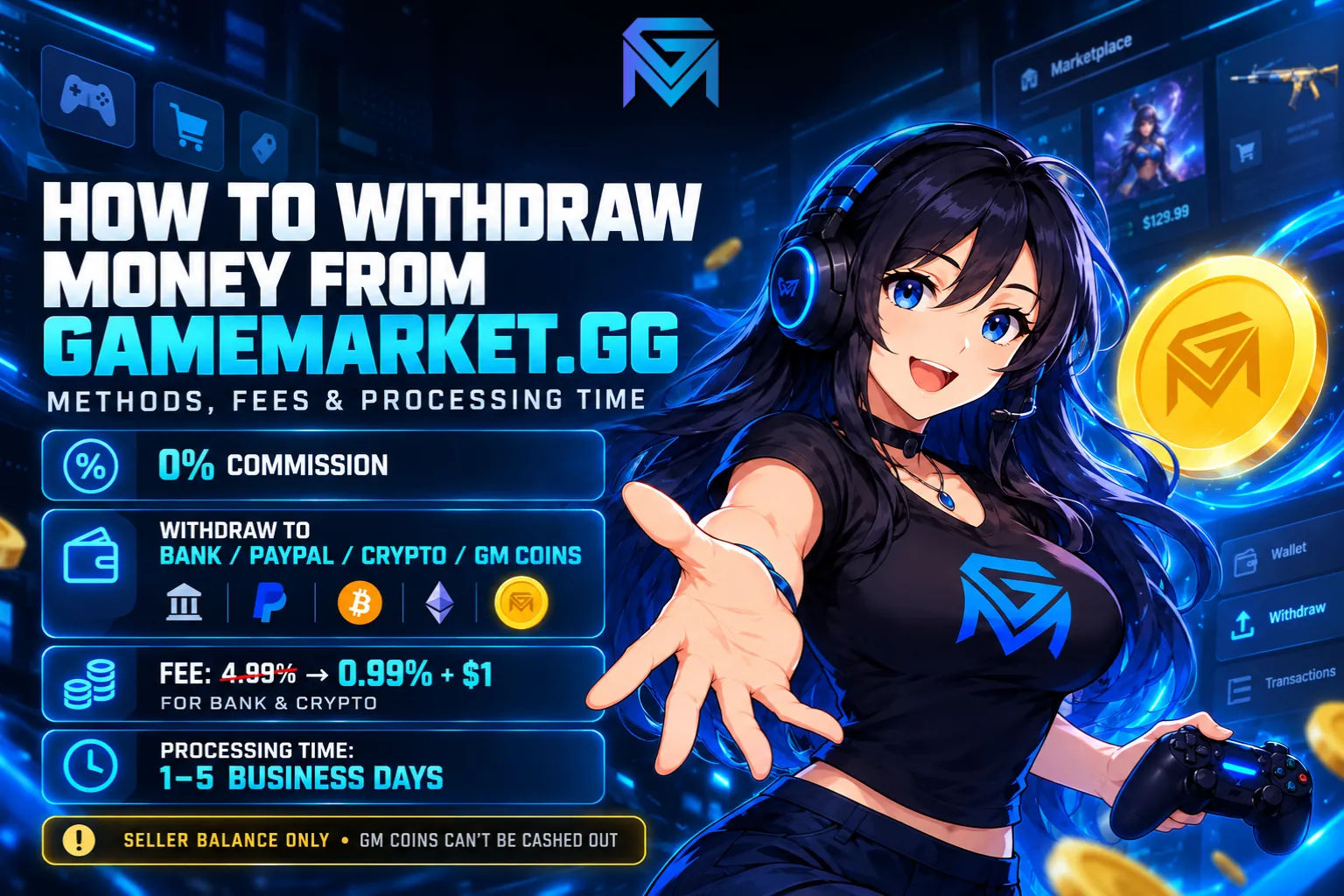
Withdrawing your earnings on GameMarket.gg takes a few clicks, but knowing the rules first is what keeps more of the money in your pocket. Sales land in your seller balance the second an order is completed, with 0% commission taken. From there, you choose how to withdraw money: an Indonesian bank, PayPal, crypto such as USDT or Bitcoin, or GM Coins. The only real cost is the withdrawal fee, and that fee shrinks as your sales grow.
This guide covers everything that happens between a completed order and money in your account: what you can and cannot withdraw, every method and its minimum withdrawal, how to add and edit your withdrawal address, how the fee is calculated, how long a withdrawal takes, and how to avoid the mistakes that slow it down. All platform rules described here are accurate as of October 2026.
What You Can Withdraw, and What You Cannot
GameMarket.gg accounts can hold two very different kinds of money, and mixing them up is the most common source of confusion.
The seller balance is real earnings. It holds the full price of every order you complete as a seller, plus any affiliate commission you earn when someone buys through your link. This is the money the Withdraw page pays out.
GM Coins is a spending balance. Refunds from canceled orders go there, and so do top-ups made through GM Coins Merchants. It works instantly at checkout with no fee, but it cannot be withdrawn or converted back into real money. If you have ever wondered why a refund from a canceled order cannot be cashed out, that is the reason. The full picture of how that balance behaves is in GM Coins explained.
Money can move from the seller balance into GM Coins, but never the other way. Keep that one-way street in mind, because it shapes which withdrawal method makes sense for you later on.
How Money Reaches Your Seller Balance
Before anything can be withdrawn, it has to arrive, and on GameMarket.gg that happens faster than on most marketplaces. When a buyer marks an order as Complete, or the system completes it automatically after the buyer stays inactive, the funds hit your balance that very second. There is no 3 to 7 day holding period after completion.
The amount is the full sale price. GameMarket.gg charges no registration fee, no listing fee and no transaction fee, so a $100 sale puts $100 in your balance. If the buyer came through an affiliate link, the affiliate's commission is deducted from that sale, but direct sales stay 100% yours.
Until an order reaches Completed status, the money is held by the platform rather than by either side. That holding step is what protects buyers, and it protects sellers too: payments are verified before you deliver, and fraudulent claims are handled by the GameMarket team, which is why sellers who follow the delivery rules are protected from chargebacks. How the funds are held at each stage is laid out in GameMarket's escrow system.
Withdrawal Methods and Minimum Withdrawal Amounts
GameMarket.gg pays out through four groups of methods:
- Indonesian banks: BCA, BNI, BRI and BSI.
- PayPal.
- Crypto: USDT (BEP20 on BNB Smart Chain), BNB (BEP20), BTC (Bitcoin), ETH (ERC20) and LTC (Litecoin).
- GM Coins, delivered as a redeem code.
Each method has its own minimum withdrawal, and the floor is lower than many sellers expect. GM Coins starts from $5, PayPal, USDT and Indonesian banks from $10, and other crypto methods from $15. There is a ceiling too: a bank withdrawal, for example, can go up to $10,000 per request. You never have to memorize any of this, because the minimum and maximum for the method you pick appear right under the amount field on the Withdraw page.
On top of the level fee explained below, crypto methods and Indonesian banks carry a $1 method fee, while GM Coins carries none. Every number, including the amount you will actually receive, is shown before you confirm.
Picking a method is mostly a question of what you plan to do with the money. If you also buy on GameMarket.gg, restocking accounts, buying items for a service, or grabbing a deal from another seller, GM Coins is the cheapest route because it carries no method fee and has the lowest minimum. If the money is meant for rent, savings or anything off the platform, choose PayPal, a bank or crypto instead. A seller who withdraws everything to GM Coins by habit ends up with money that can only be spent on GameMarket.gg, and there is no way to reverse it. Note that this method appears as GM Coins (Redeem Code): the withdrawal comes back as a code, which you then add to your balance from the Redeem GM Coins page in your dashboard.
How to Add and Edit Your Withdrawal Address
Before you can withdraw anything, GameMarket.gg needs to know where to send it. That destination is called a withdrawal address, whether it is a bank account number, a PayPal account or a crypto wallet. Addresses live in Account Settings, under the Withdrawal Options tab, where every address you have saved is listed with its method and number.
Adding one takes a minute:
- Open Account Settings and go to the Withdrawal Options tab. You can also get there straight from the Withdraw page by clicking Add new withdrawal method next to the method dropdown.
- Click Add address. A small form opens.
- Choose the withdrawal option, such as Bank BNI, PayPal or ETH (ERC20). The list only shows methods you have not saved yet.
- Enter the address for that method: your account number for a bank, or your wallet address for crypto.
- Request a verification code. Click Send code, and the code is sent to the email you use to log in to GameMarket.gg. Open that inbox, then type the code into the Verification code field.
- Click Save address. The new method now appears in the dropdown on the Withdraw page.
The verification code is there so that nobody can quietly swap your payout destination for their own. Every new or changed address needs a fresh code from your login email, which makes redirecting your earnings much harder for anyone who does not control that inbox. It is also one more reason to keep your email secure. For an extra layer, the Security tab in the same settings page lets you turn on two-factor authentication with an app like Google Authenticator, so a stolen password alone is not enough to log in.
Editing works the same way. Each saved address has an Edit address button that opens the current number in a form; change it, request a new verification code, and save. The method itself stays fixed, so if you are switching from one bank to another or from one crypto network to another, add a new address instead of editing the old one. Addresses you no longer use can be removed with the trash icon beside them, which keeps the dropdown clean and lowers the chance of picking an old account by mistake.
One habit saves a lot of trouble here: match the network exactly. A USDT address on BNB Smart Chain belongs under USDT (BEP20), and an Ethereum address belongs under ETH (ERC20). Funds sent to an address on the wrong network can be difficult or impossible to recover, so copy wallet addresses directly from your wallet app rather than typing them by hand.
How the Withdrawal Fee Is Calculated
A GameMarket.gg withdrawal fee has two parts, and both are shown before you confirm.
The first is a percentage based on your seller level. Every seller starts at Bronze, where the fee is 4.99%. Reaching $1,000 in completed sales in a month moves you to Silver at 3.99%. At $5,000 you become Gold at 2.99%, at $10,000 you reach Platinum at 1.99%, and at $50,000 or more you join Diamond, which pays just 0.99%.
Levels are recalculated automatically on the 1st of every month from the previous month's completed sales. Two details are worth knowing. First, the threshold is about order value, not order count: one completed $5,000 order and a hundred completed $50 orders both put you at Gold for the next month. Second, there is no signup or application, since the system handles the upgrade on its own. The seller ranking system goes deeper into how to climb those levels.
The second part is the method fee. GM Coins costs nothing extra, while crypto methods and Indonesian banks add a flat $1.
Here is how that adds up on a $100 withdrawal to an Indonesian bank:
- Bronze: $4.99 level fee + $1 method fee = $5.99 in total.
- Gold: $2.99 + $1 = $3.99.
- Diamond: $0.99 + $1 = $1.99.
The same $100 sent to GM Coins at Bronze costs only the $4.99 level fee. On larger amounts, the gap between levels grows quickly: withdrawing $1,000 costs $49.90 in level fees at Bronze and just $9.90 at Diamond. So if last month's sales are about to lift you into a higher level, it can pay to hold a large withdrawal until after the update on the 1st. Because the withdrawal fee is the only fee on GameMarket.gg, these numbers are the full cost of selling, as broken down in GameMarket's seller fees.
How to Withdraw Money From GameMarket.gg, Step by Step
With an address saved, the withdrawal itself moves through three stages that the page tracks at the top: withdrawal amount, review and confirm, and withdrawal processed.
- Open the Withdraw page from the Balance section of your dashboard. At the top you will see your Available Balance, which is what you can withdraw right now, and your Pending Balance, which is not ready to withdraw yet.
- Enter the withdrawal amount in dollars. The page shows the equivalent in the currency you have selected, plus the minimum and maximum for the selected method.
- Pick a withdrawal method from the dropdown of addresses you have saved. The address for that method appears underneath, so you can check it one last time.
- Click Withdraw via your chosen method, such as "Withdraw via Bank BCA."
- Review and confirm. The level fee, the method fee and the amount you will receive are shown before the request goes through.
- Track the request. The Withdrawal history table below the form lists every request with its status, withdrawal ID, address, amount, method and date, and the Statement page keeps the full record of money moving in and out of your account.
The address check in step three is the one worth slowing down for. A wrong digit in a bank account or a wallet on the wrong network is far harder to fix after the request is sent than before, which is why keeping your saved addresses accurate in Withdrawal Options pays off every single time you cash out.
How Long Does a Withdrawal Take?
Withdrawals typically take 1 to 5 business days to process. The exact time depends on the payment provider behind the method you chose and on the current withdrawal queue, so two requests made on the same day can finish at different times.
Business days matter here. A request sent on a Friday evening will usually start moving after the weekend, so if you need the money by a certain date, withdraw a few days ahead rather than on the deadline itself.
If a withdrawal goes past 5 business days, contact GameMarket.gg Support and include the withdrawal details from your Statement so the team can trace it quickly. The Withdrawals & Earnings FAQ covers the same timeline if you want to check it again later.
Withdrawing Affiliate Commissions
You do not have to sell anything to earn money worth withdrawing. Through the GameMarket affiliate program, anyone with a GameMarket.gg account can share a link and earn the commission each seller sets on their listing, up to 50% of the sale price. Purchases count for 100 days after someone clicks your link.
Commissions follow the same instant logic as sales. When a referred order is completed, the commission is added to your balance immediately, with no approval step and no minimum threshold for earning it. Orders that are canceled, refunded or disputed do not count. From there, you can withdraw through the methods available on the Withdraw page, including crypto and local payment options, as long as the amount meets the minimum for the method you choose.
For creators who both sell and promote, earnings from both sources end up in the same place, which is the idea behind the two ways to earn on GameMarket.
Keeping Your Withdrawals Smooth
A withdrawal is only as safe as the account behind it, and most delays trace back to something that happened before the request was made.
Keep your details consistent. GameMarket's guide to selling stresses matching data across your profile and verification documents, and the same care pays off when you enter payout details. Use an account in your own name and copy the numbers carefully.
Keep every deal on the platform. Sales made through outside chats or payment apps never reach your seller balance, so they cannot be withdrawn, and they are not protected. Off-platform transactions also break the rules, and a permanent ban means losing access to any active funds and listings, including money that was waiting to be withdrawn. The full list of seller rules and penalties is worth reading once.
Avoid cancellations. Every canceled order is a sale that never reaches your balance, and frequent cancellations can lead to account suspension. If you list in volume through Bulk Upload, delete anything that sells elsewhere right away so buyers cannot order it.
Withdraw with a purpose. Send the money you plan to spend on GameMarket.gg to GM Coins, and send the rest to PayPal, a bank or crypto. Splitting it this way keeps your fees low without trapping cash in a balance you cannot withdraw.
Start Earning Something Worth Withdrawing
The Withdraw page is the last step of a simple loop: list, deliver, get paid instantly, and cash out on your terms, with fees that drop as you grow. If you have not started yet, you can open your store through Become a Seller and list in any of the 1,700+ game markets on GameMarket.gg. If selling is not for you, the affiliate program lets you earn from the same marketplace with nothing more than a link.