Fortnite Match Overrides Guide: All Effects & How to Activate Them
By Official GameMarket News 21 August 2026, 14:00 WIB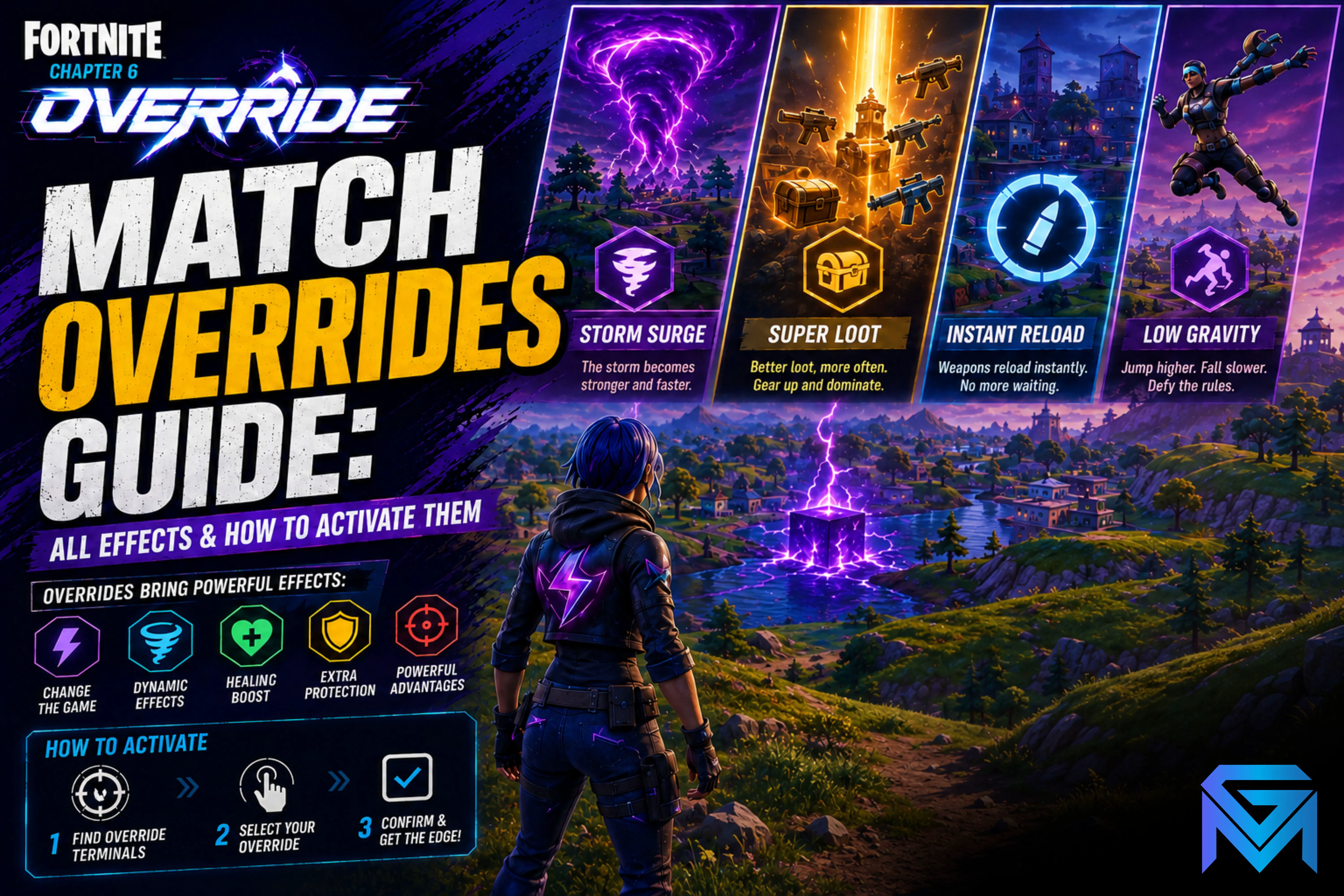
Fortnite Chapter 7 Season 4: Override introduces Match Overrides, a new gameplay system that lets players change the rules of an active Battle Royale match. The available effects include faster movement, improved loot, increased headshot damage, constant healing, and even an extra life.
Override Consoles appear in every match, but claiming one can expose your position. Here is how the system works, all 12 confirmed effects, and which Match Overrides provide the most value.
What Are Match Overrides?
Match Overrides are special effects activated through Override Consoles found during Battle Royale matches.
They are different from the season’s other hacking mechanics:
-
Lobby Hacks use codes entered through the Lobby’s Admin Panel.
-
Loot Hacks use Sprite Dust to customize potential Chest drops.
-
Cheat Codes are hidden around the Island and can free Sprite allies.
-
Match Overrides change specific rules during the current match.
The official name for this system is Match Overrides, not Match Hacks.
How to Activate a Match Override
Epic Games confirms that Override Consoles appear in every match, but players must reach them before their opponents.
The basic process is:
-
Find an Override Console during the match.
-
Check the surrounding area for enemies.
-
Interact with the console to claim its Override.
-
Confirm which effect has been activated.
-
Reposition before another squad arrives.
After an Override is claimed, the player’s name appears around the base of the console.
Rare and Mythic Squad Overrides only benefit the first squad that reaches them. Claiming one also broadcasts the squad’s location on the map, making these powerful upgrades risky to activate.
All Fortnite Match Override Effects
There are 12 Match Overrides confirmed for the launch of Fortnite Override.
Sonic Speed
Sonic Speed gradually increases your sprinting speed.
It is useful for escaping the Storm, rotating between locations, chasing weakened enemies, and crossing exposed areas. The effect can also complement mobility items such as the Sonic Power Sneakers.
More XP
More XP increases the experience earned from eliminations, looting, and surviving the Storm.
Players focusing on Battle Pass progression should activate this effect as early as possible so more actions during the match benefit from the bonus.
Loot Hack
Loot Hack grants a Loot Hack item from the next Chest you open.
After activating it, avoid opening a Chest in an exposed location. Secure the area first and then collect the reward safely.
Extra Life
Extra Life lets you respawn once when you are close to being eliminated.
This is one of the strongest Match Overrides, especially in Solo matches. However, the effect only protects you once and should not be treated as permanent immunity.
Big Fish
Big Fish turns all Fishing Holes into golden Fishing Holes.
Its value depends heavily on your route and the next Storm circle. It is most useful when your squad is positioned near rivers, lakes, or coastal areas.
Constant Heal
Constant Heal regenerates health and shield over time while you are not in combat.
The effect reduces the number of healing items needed between engagements, but it will not continuously save you while taking damage. Disengage and create distance before relying on the regeneration.
Infinite Stamina
Infinite Stamina removes the normal sprinting limit.
It is particularly valuable in Zero Build, where players frequently need to move between pieces of cover. It can also help your squad rotate without consuming dedicated mobility items.
Headshot
Headshot increases the damage dealt when hitting an enemy’s head.
Accurate players can gain significant value from this effect when using assault rifles, pistols, shotguns, or other precision weapons.
Overshield
Overshield grants additional Overshield or adds it to modes where the protection is not normally available.
The effect provides reliable defensive value before every fight, making it one of the safest Match Overrides for both aggressive and defensive squads.
Speed Shooter
Speed Shooter increases weapon fire rate and reload speed.
Automatic weapons benefit from the improved fire rate, while shotguns and weapons with longer reload animations become easier to use during close-range fights.
Big Loot
Big Loot increases the chance of finding Epic or Legendary equipment inside Chests.
This effect is strongest during the early game when plenty of unopened Chests remain. Claiming it after your squad has already looted the area significantly reduces its value.
Power Pickaxe
Power Pickaxe makes Pickaxe attacks deal massive damage.
It can punish an opponent at extremely close range, but attempting to rush a prepared shotgun player remains dangerous. Treat it as a surprise option rather than your main combat strategy.
Best Match Overrides to Prioritize
For players trying to win the match, the strongest options are:
-
Extra Life
-
Constant Heal
-
Overshield
-
Headshot
-
Speed Shooter
For early-game looting, prioritize Big Loot or Loot Hack.
For rotations and aggressive movement, Infinite Stamina and Sonic Speed provide the most consistent benefits. Players grinding Battle Pass levels should choose More XP, while Big Fish and Power Pickaxe are more situational.
What to Do After Claiming a Squad Override
Rare and Mythic Squad Overrides can reveal your squad’s position, so staying near the console is usually dangerous.
After claiming one:
-
Reload every weapon.
-
Collect nearby loot quickly.
-
Keep the squad together.
-
Move away from the console.
-
Avoid remaining inside the nearest building.
-
Expect enemy teams to approach your last known position.
-
Use vehicles or mobility items to rotate when available.
Unless your team has a strong defensive position, claiming the Override and immediately leaving is safer than trying to protect the console area.
Common Mistakes to Avoid
-
Confusing Match Overrides with Lobby Hacks
-
Approaching a console without checking for enemies
-
Ignoring the Squad Override location broadcast
-
Activating Big Loot after opening nearby Chests
-
Expecting Constant Heal to work during active combat
-
Treating Extra Life as unlimited respawns
-
Separating from teammates immediately after claiming an Override
-
Using Power Pickaxe against an opponent already holding a shotgun
Match Overrides can provide a major advantage, but the most powerful effects also create new risks. Secure the area before activating a console, identify how its effect fits your loadout, and reposition before another squad tracks you down.
Players looking to strengthen their account can explore Fortnite Accounts, Boosting Services, and Hourly Services available on GameMarket.gg.
For the complete list of new mechanics and future balance changes, check the official Fortnite Override v42.00 Update Notes and Fortnite Override announcement.


![Fortnite Accounts [EPIC] Rapper Edition+1000 Vbuck 23 Outfits (Slim Shady, Snoop Dog,) + 31 Pickaxe + 25 Glider | Take Email](https://img.gamemarket.gg/products/07kdenvw/fortnite-accounts-epic-rapper-edition-1000-vbuck-23-outfits-slim-bvb-thumbnail.webp "[EPIC] Rapper Edition+1000 Vbuck 23 Outfits (Slim Shady, Snoop Dog,) + 31 Pickaxe + 25 Glider | Take Email | Check SS (FN716)")