Order Tutorial 101: "Delivering” Order Status Explained on GameMarket.gg
By GameMarket Team 25 May 2026, 01:00 WIB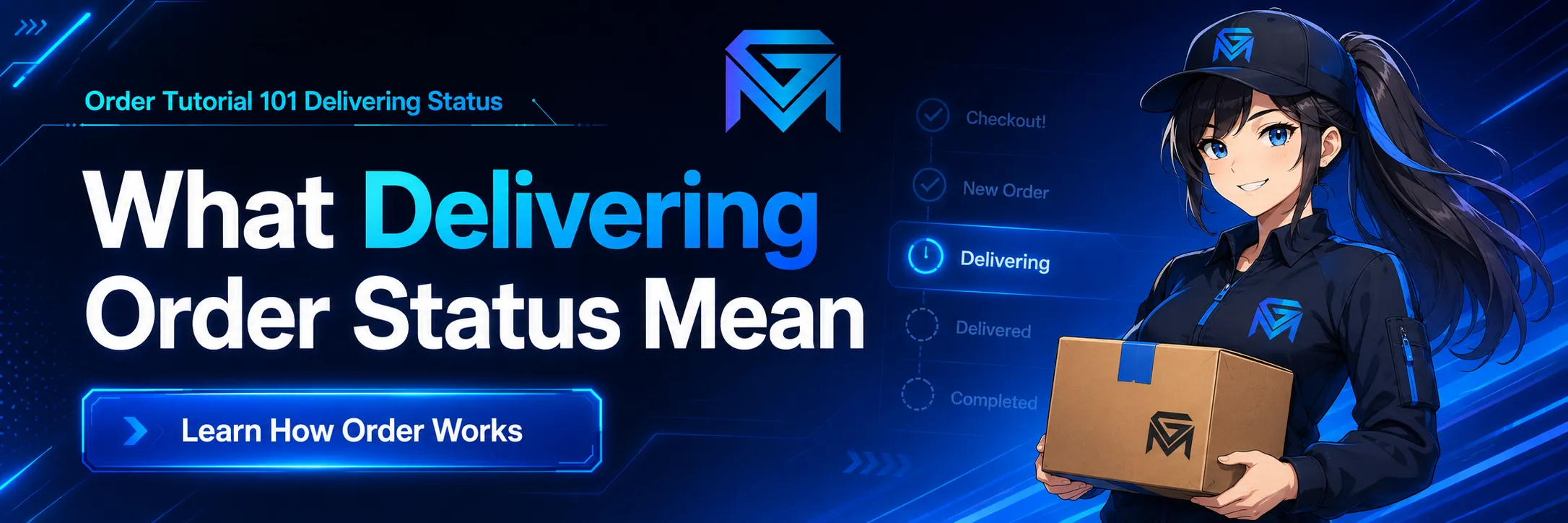
Order Tutorial 101: What a “Delivering” Order Status Really Means
In the fast-paced world of digital goods trading, clarity is the key to security. Whether you are purchasing a high-level game account, ordering a boosting service, or buying in-game currency on GameMarket.gg, understanding the lifecycle of your order is crucial.
One of the most critical phases in our secure transaction ecosystem is the "Delivering" status. Many new users often ask: What is happening during this phase? Is my money safe? What do I do next?
This comprehensive guide will explain exactly what the "Delivering" status entails, outlining the rights of the Buyer and the responsibilities of the Seller to ensure a smooth, fraud-free experience on GameMarket.
What is the “Delivering” Status?
The transaction process on GameMarket.gg is designed to be linear and transparent. Once a Buyer completes a payment, the order typically starts as a "New Order."
The moment the status shifts to Delivering, it indicates a specific action has been taken: The Seller has acknowledged the order and is currently processing it.
In simple terms, "Delivering" means the product or service is physically or digitally being prepared and transferred to you.
-
For Accounts: The seller is likely preparing the credentials or changing the email to yours.
-
For Boosting: The booster is logging in or setting up the lobby to begin the service.
-
For Items: The seller is arranging the in-game trade.
This is the "active" phase of the transaction where the Seller is at work.
For Buyers: Your Rights and Actions During the “Delivering” Phase
As a Buyer, seeing the "Delivering" status is good news—it means your seller is active. However, GameMarket.gg provides several tools to protect you during this specific stage. Here is what you can do:
1. Wait for Fulfillment
In most cases, the best action is patience. Since the status has changed to "Delivering," the seller is likely in the middle of the transfer process. Interrupting them immediately might slow down the handover.
2. The "Request Cancel" Feature (The 24-Hour Safety Net)
Security is our top priority. We understand that time is money. If a Seller has moved the order to "Delivering" but then goes silent, you are not stuck in limbo.
-
How it works: You have the option to use the Request Cancel button.
-
The Rule: If the Seller does not respond to your cancellation request or fails to complete the order within 24 hours, the system will intervene.
-
The Outcome: The order will be automatically canceled, and your funds will be refunded to your balance 100%. No hidden fees, no losses.
3. The "Issue Order" Feature
Sometimes, communication breaks down, or you might suspect something is wrong before the 24-hour mark. If you feel that the transaction is not proceeding as agreed, or if the seller is acting suspiciously, you can elevate the status by clicking Issue Order.
-
What this does: This signals to the GameMarket.gg Admin team that this transaction requires human intervention.
-
When to use it: Use this if the seller is uncooperative, refuses to deliver, or asks for transactions outside the platform.
For Sellers: Your Responsibilities and Proof of Delivery
For Sellers, the "Delivering" status is your time to shine. It is the phase where you build your reputation. However, GameMarket.gg requires strict adherence to our proof-of-delivery protocols to prevent disputes.
1. The Handoff
Your primary job is to deliver the goods exactly as described in your listing. Whether it is handing over account credentials or completing a rank boost, ensure accuracy.
2. Confirming the Order
Once you have successfully delivered the product or service to the Buyer, you must proceed to the next step in the sold order page: clicking Confirm Order.
3. MANDATORY: Uploading Proof of Delivery
This is the most critical step for a Seller. When you click "Confirm Order," you are required to upload evidence that the job is done.
-
Format: You can upload Images (Screenshots) or Video Recordings.
-
Visibility: This proof is transparent. It can be viewed by the Buyer (to reassure them) and by the GameMarket Admin (in case of a dispute).
⚠️ Important Warning for Sellers:
Ensure the proof you upload is relevant and clear.
-
Do not upload blank images or irrelevant screenshots.
-
The proof must clearly show the handover (e.g., a screenshot of the "Trade Completed" screen in-game, or a video of the login working).
-
If an order later turns into an Issue/Dispute, Admins will rely heavily on this evidence. If your proof is fake or unclear, the decision will likely go in favor of the Buyer.
Summary: The Workflow of Trust
To summarize the "Delivering" ecosystem on GameMarket:
-
Status Change: Order moves to "Delivering" (Seller is working).
-
Buyer Protection: Buyer waits, but retains the right to "Request Cancel" (guaranteeing a 100% refund if ignored for 24 hours) or raise an "Issue."
-
Seller Obligation: Seller completes the work and must upload valid image/video proof when confirming.
Understanding these steps ensures that GameMarket.gg remains a safe, fair, and professional marketplace for everyone.
What Comes Next?
Once the Seller has successfully delivered the item, uploaded the valid proof, and clicked confirm, the status changes to Delivered.
But what happens in the "Delivered" phase? How does the warranty work, and when does the Seller get paid? We will cover the final steps of the transaction in our next article.
Stay tuned to the GameMarket.gg News section for more tips on maximizing your sales and securing your purchases.