Best Sensitivity Settings for Free Fire: How to Find Your Own
By Sir Ayup
The best sensitivity for Free Fire is not a single set of numbers: it is the setting that lets you turn quickly without overshooting your target on your own device. Copying someone else's values rarely works, because screen size, touch response and how you hold your phone all change how a number feels. A better approach is to start from balanced values, test one slider at a time in training mode, and adjust in small steps until your crosshair stops where you want it.
This guide explains what each Free Fire sensitivity slider controls, a step-by-step method for finding your own settings, and the graphics and HUD choices that make your aim more consistent.
What Each Sensitivity Slider Controls
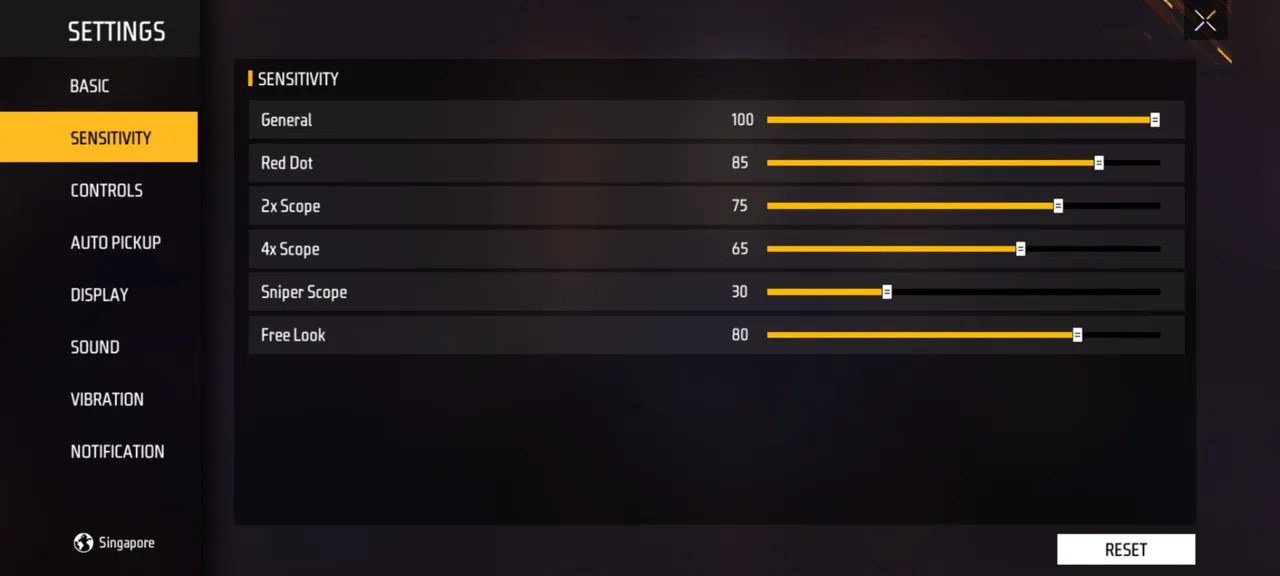
Free Fire splits sensitivity into separate sliders in the settings menu, and each one affects a different situation:
- General. How fast the camera turns when you swipe without aiming down sights. This is the slider that affects most of your movement and close-range flicks.
- Red Dot. Camera speed while aiming through a red dot or holographic sight, used for close and mid-range fights.
- 2x Scope. Speed while using a 2x scope at mid range.
- 4x Scope. Speed while using a 4x scope, where small, precise movements matter most.
- Sniper Scope. Speed while scoped in with a sniper rifle.
- Free Look. How fast the camera moves when you use free look to check around you without turning your character.
Higher values turn the camera further for the same swipe. Lower values give finer control but need longer swipes. The goal is a balance where a natural thumb movement covers the distance you need, and no more.
Why Copied Settings Often Fail
Lists of "pro settings" and device-specific values are everywhere, but they rarely transfer well:
- Screen size changes everything. The same swipe covers a different distance on a small phone and a large tablet.
- Touch response varies by device. Some screens register movement faster than others.
- Grip and finger count matter. A two-thumb player and a four-finger claw player move very differently.
- Frame rate affects feel. At a low frame rate, high sensitivity is harder to control because the screen updates less often.
Use other people's values only as a rough starting point, then tune from there.
A Step-by-Step Method to Find Your Own
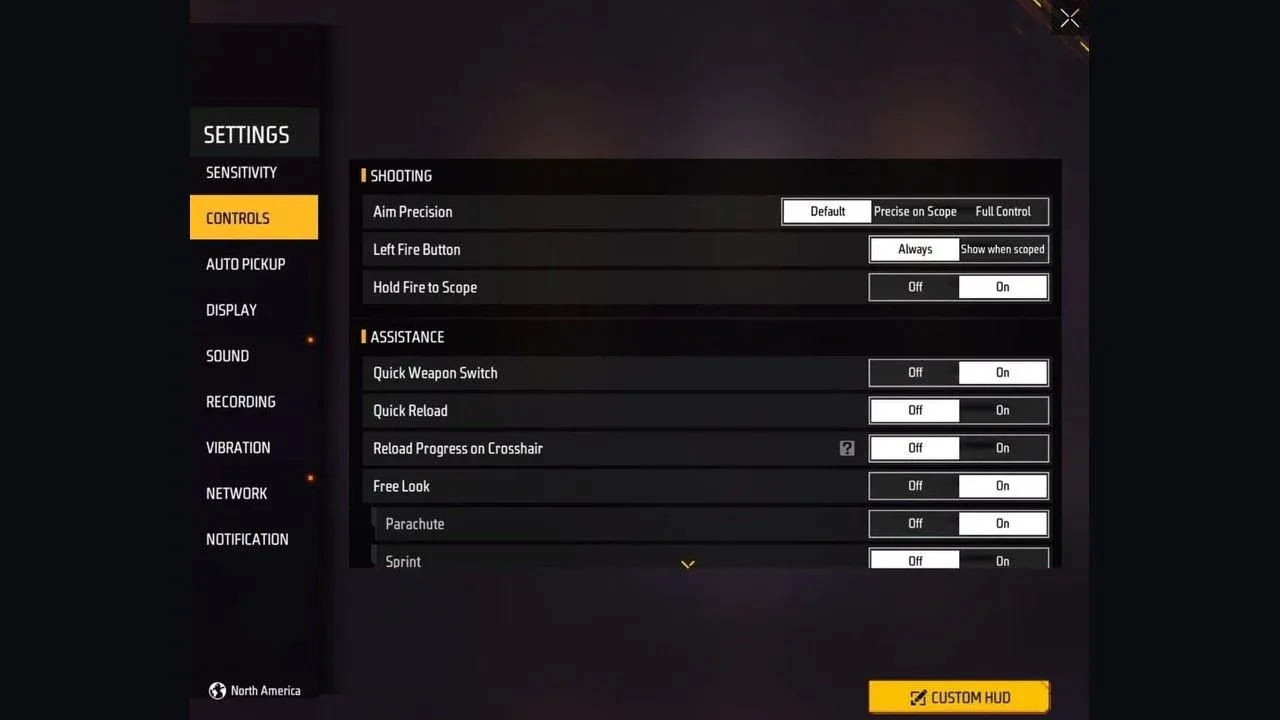
The training ground is the best place to do this, because you can repeat the same movements without pressure.
- Start from balanced values. Set the sliders to a middle-to-high starting point, with the Sniper Scope lower than the others, since snipers need the most precision.
- Tune General first. Practise quick 180-degree turns and flicks between targets. If you overshoot, lower it a little; if you struggle to turn fast enough, raise it.
- Change one slider at a time. Adjusting several sliders at once makes it impossible to tell which change helped.
- Use small steps. Move a slider by about five points, test, then move again. Big jumps make you lose your feel for the setting.
- Test each scope at its real range. Use the red dot on close targets, the 2x and 4x on mid-range targets, and the sniper scope at long range.
- Check recoil control. Spray at a wall with your main weapons. If you cannot pull down enough to control the recoil, raise that scope's sensitivity slightly.
- Play real matches. Training ground movement is predictable. A few Clash Squad matches show whether the settings hold up under pressure.
- Then stop changing. Once the settings feel right, keep them for at least a week. Constant tweaking prevents muscle memory from building.
Signs Your Sensitivity Is Too High or Too Low
Use these signs to decide which way to adjust:
Too high:
- Your crosshair overshoots targets and you have to correct back.
- Small movements feel jumpy, especially when scoped in.
- You struggle to track moving enemies smoothly.
Too low:
- You cannot turn fast enough when shot from behind.
- You need several swipes to reach a target.
- Recoil pulls your aim up faster than you can pull it down.
Graphics and Frame Rate Settings
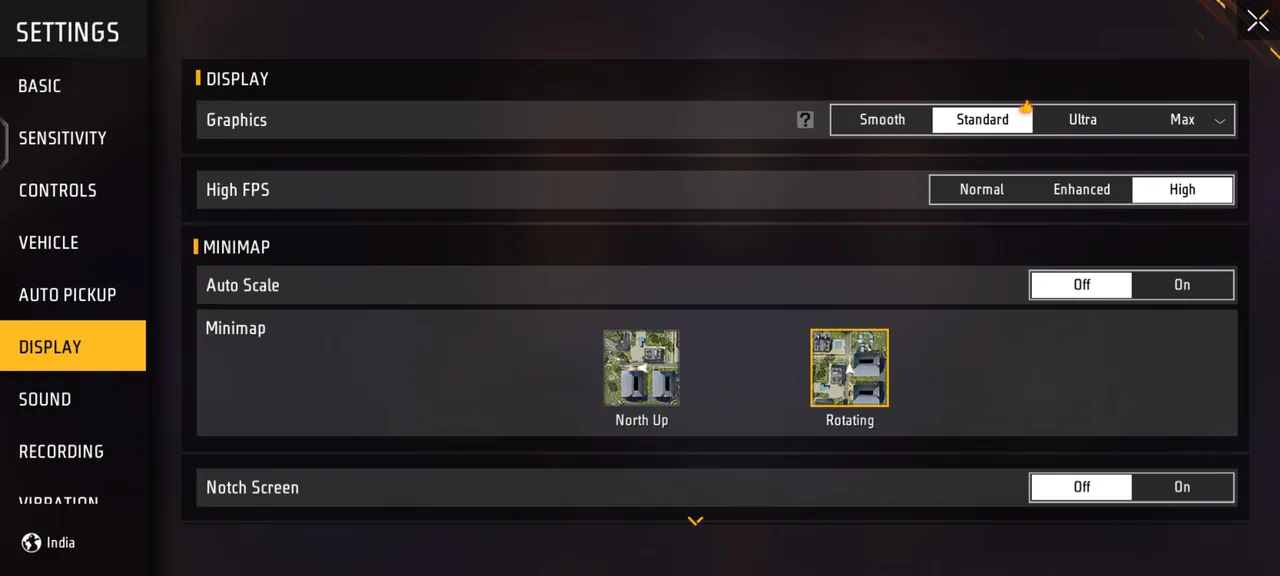
Sensitivity feels better when the game runs smoothly. In the graphics settings:
- Choose frame rate over visual detail. A higher, stable frame rate makes aim feel more responsive than better textures do.
- Lower graphics quality on older phones. Smooth or standard graphics often give a steadier frame rate than the highest options.
- Keep your phone cool. Overheating can lower performance during a match, which changes how your sensitivity feels mid-fight.
After changing graphics settings, recheck your sensitivity, since a different frame rate can make the same values feel different.
HUD Layout Works With Sensitivity
Your button layout affects how you use sensitivity. A good HUD lets you move, aim and shoot at the same time:
- Place the fire button where your aiming thumb or finger can reach it without lifting off the screen.
- Try a three or four-finger layout once you are comfortable, so you can move and aim simultaneously.
- Keep Gloo Wall and crouch within easy reach, since they are used mid-fight.
Changing your HUD usually means retuning your sensitivity, so do both together.
Settings Are Only Part of Aim
The right sensitivity makes good aim possible, but practice is what builds it. A short daily routine in training mode, a few minutes of flicks and recoil control, does more over a month than any setting change. Weapon choice matters too, since each gun handles recoil differently, and new weapons such as the M7, Skorp, RPK and Hawk from OB55 each need a little time to learn. Your character setup also shapes fights, and proven aggressive and defensive skill combinations can give you more room for error while your aim improves. If you are still learning the basics of the game, how characters, modes and ranked work in Free Fire is the best place to start.
If you would rather reach a higher rank while you work on your aim, you can pick up one of the Free Fire Accounts with the characters and skins you want, hand daily missions and events to a player through Free Fire Hourly Services, or climb ranked faster with Free Fire Boosting.
GameMarket.gg is a trusted digital marketplace for everything gaming-related. We serve the gaming community by providing secure access that enhances every gaming journey.