eFootball Account Security: KONAMI ID Protection and Recovery
By John Ganang
Account security in eFootball comes down to one thing: your Konami ID, the linked login that stores your Dream Team, Coins, GP and match history across every platform you play on. Protecting it means using a unique password, keeping the registered email current and checkable, turning on any verification step Konami offers, and knowing exactly how to recover access if you're ever locked out.
Because eFootball ties years of progress, purchased currency and a squad built from limited-time cards to a single sign-in, losing control of that sign-in is a bigger deal than losing a save file in most other games. The sections below cover what a Konami ID actually is, how it differs from a platform account, and the concrete steps that keep it under your control.
What is a Konami ID, and how is it different from a platform account?
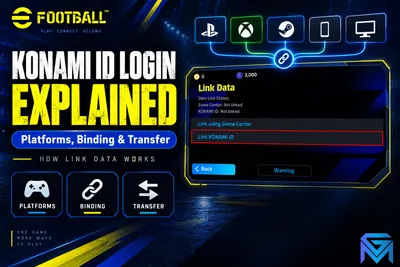
A Konami ID is a free, separate account created directly with Konami that links to your eFootball save data, independent of PlayStation, Xbox, Steam or your mobile store account. It exists specifically so your Dream Team can move between devices.
Your PlayStation Network ID, Xbox Gamertag, Steam login or Google/Apple mobile account controls access to that platform's store and social features. The Konami ID sits on top of all of them: once you register one and link it inside eFootball, the game uses it to save your squad, Coins, GP, contracts and settings to Konami's servers rather than only to that one device. That is what makes it possible to play on a phone during the day and switch to a console at night without starting over.
Why does account security matter more in eFootball than in a typical single-player game?
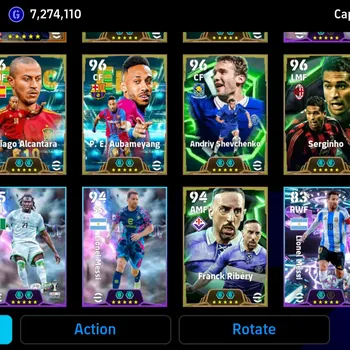
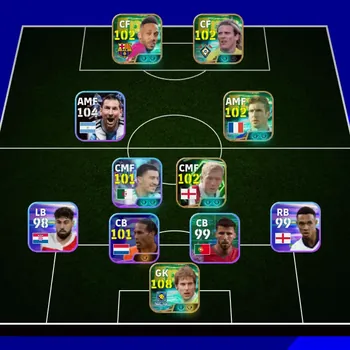
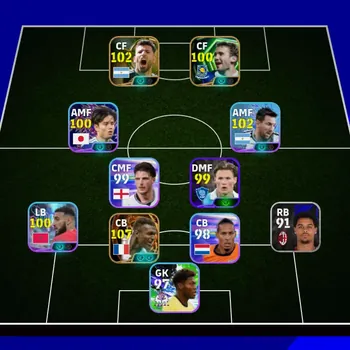
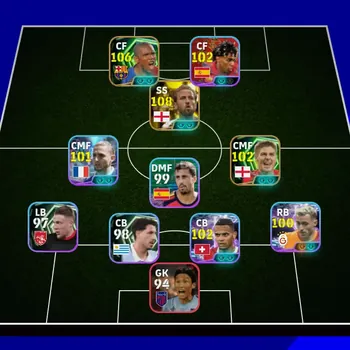
An eFootball account carries real value in the form of purchased Coins, earned GP, and a Dream Team built from period-limited Epic, Big Time and Legendary cards that cannot simply be re-bought once an event ends. Losing the account means losing all of it at once.
Unlike a single-player save that only affects one device, a compromised Konami ID gives an attacker access to whatever is linked to it: remaining Coins balance, any stored payment convenience on connected storefronts, and the ability to change the recovery email before the real owner notices. Because progress is cloud-linked rather than local, the account itself is the asset worth protecting, not just the device it's played on.
For a broader look at what that progress actually consists of, our eFootball Beginner's Guide to Player Cards, Coins and Squads and eFootball Coins vs GP: What They Are and How They Work both break down the currencies and card systems an attacker would be trying to reach.
How do you set up a strong Konami ID from the start?
Register the Konami ID with an email address you actively use and check, pair it with a password that is not reused from any other service, and store that password somewhere other than memory alone, such as a password manager.
- Use an email you control long-term rather than a throwaway or shared inbox, since password resets and security notices go there.
- Avoid reusing a password from another gaming or social account; credential-stuffing attacks target exactly that overlap.
- Keep the email account itself secure first. A Konami ID reset is only as safe as the inbox behind it.
- Update the registered email immediately if you ever change your primary address, rather than letting it go stale.
Should you enable two-factor authentication for eFootball?
Yes, whenever Konami offers a two-factor or additional verification option on the account, turning it on is worth the extra step at login. It adds a second barrier that a stolen password alone cannot get past.
Two-factor authentication typically requires a one-time code from an app or email in addition to the password, which stops most automated login attempts even if a password has leaked elsewhere. Since Coins and GP balances, plus a roster of limited-time cards, sit behind that single login, the small inconvenience of an extra code is minor next to the risk of losing all of it to an account takeover.
How does Konami ID linking affect cross-platform progress?
Linking the same Konami ID on every device you use is what lets your Dream Team, Coins and GP carry over between mobile, PC and console. Without that link, each platform can keep a separate, unconnected save.
This is also a security-relevant step, not just a convenience one: an unlinked mobile save, for example, lives only on that device and its local backup, so losing the phone without ever linking a Konami ID can mean losing the account permanently, with no server-side copy to recover. Linking early both protects progress against device loss and consolidates everything under one login you can then secure properly.
What are the warning signs of a compromised eFootball account?
Watch for a Coins or GP balance that has dropped without your own spending, contracts or players missing from your squad, a changed registered email you didn't update, or a login notification from a location or device you don't recognize.
Any one of these on its own can have an innocent explanation, but two or more together are worth acting on immediately rather than waiting to see if anything else changes. The faster a takeover is caught, the more of the account's remaining Coins, GP and card collection can typically be preserved.
What should you do immediately if your eFootball account is hacked?
Change the Konami ID password right away from a device you trust, check and correct the registered email if it was altered, and contact Konami support with your original registration details as proof of ownership.
If the password still works, start there: a fresh, unique password locks out anyone using the old credentials on future logins. If the password no longer works because the attacker already changed it, go straight to Konami's account-recovery support flow rather than repeatedly guessing, and be ready to provide whatever original registration information you have, such as the original email address, approximate registration date, or a purchase receipt tied to the account.
How do you recover a Konami ID if you lose access to the registered email?
Start with Konami's official account-recovery support process rather than any third-party tool, and provide as much original registration proof as you can, since the registered email is normally the primary recovery path.
This is exactly why keeping that email current matters: recovery is straightforward when the inbox is still yours, and much slower when it isn't. If the email itself has been lost (not hacked, just abandoned or forgotten), expect the process to take longer and require more manual verification, since support has to confirm ownership through other means.
What should you check on a Konami ID before you rely on it as your main account?
Confirm you have full, working access to the registered email on that Konami ID, then immediately update the password and, where available, the recovery email, so the account is fully under your own control before you invest further time or Coins into it.
An account is only as secure as the weakest credential still attached to it. If the original registered email is still reachable by someone else, that person can typically reset the password and reclaim the account at any time, regardless of who is actively playing on it. Treat full email control as the first checkpoint, not an afterthought, and only then treat the account as genuinely secured.
Once the login itself is secured, evaluating what the account actually contains is the next step; eFootball Player Card Types Explained: Epic, Big Time and More breaks down what each rarity tier means for a squad's real value.
What should you never share about your Konami ID, even with someone you trust?
Never hand over your Konami ID password or a one-time verification code to anyone, including a seller, buyer, or someone claiming to represent Konami support outside official channels. Legitimate support processes don't need your password read aloud or typed into a third-party page.
Phishing pages that copy Konami's login screen are the most common way Konami IDs get stolen, usually spread through links promising free Coins, giveaways, or "verification" steps tied to a trade or purchase. Before typing a password anywhere, check that the address bar actually shows Konami's own domain rather than a lookalike. A one-time 2FA code is meant to prove a login is really you; sharing it with someone else hands them that same proof, so it should never leave your own device once you request it. If a transaction genuinely requires confirming account details, that can be done by describing the squad or showing screenshots, not by handing over login credentials.
How is securing a Konami ID different from confirming an account listing is accurate?
Confirming a listing is accurate means checking that the squad, card collection, and Team Strength shown actually match what's in the account before finalizing anything; securing the Konami ID afterward is the separate step covered earlier of taking full ownership of the login itself.
These are two different checks and both matter. A description can be verified by comparing the listed cards, Coins balance, and Dream Team screenshots against what actually loads after sign-in, the same way you'd check any digital item matches its listing. Once that match is confirmed, the security steps described above (new password, current registered email, verification where available) are what make the account durably yours rather than something that could be reclaimed later by whoever registered it originally. Treat listing accuracy and login security as sequential steps, not substitutes for each other.
Where to Find eFootball Top Up, Other Items and the Full Market
Alongside account security itself, GameMarket.gg's eFootball Coins top-up listings cover direct currency purchases, the other eFootball items category lists additional add-ons outside standard Coins packages, and the full eFootball marketplace hub is the starting point for browsing every listing type available for the game.
FAQ
Do I need a separate Konami ID for each platform I play eFootball on?
No. One Konami ID can be linked across mobile, PC and console; that's what lets Dream Team, Coins and GP carry over between them instead of starting fresh on each device.
Is two-factor authentication mandatory to play eFootball?
No, it's optional where Konami offers it, but enabling it is recommended since it adds a second barrier beyond just the password.
What's the very first thing to do if Coins go missing unexpectedly?
Change the Konami ID password immediately from a trusted device, then check whether the registered email was altered before contacting Konami support.
Can Konami restore Coins or cards lost to a compromised account?
Support can help recover account access; what can specifically be restored depends on Konami's own review of each case, so contact official support directly rather than assuming a fixed outcome.
If you're browsing rather than starting from scratch, GameMarket.gg's eFootball accounts listings are worth checking directly for squads and card collections already built up, with the account-security steps above worth applying to any account the moment it's yours.
GameMarket.gg is a trusted digital marketplace for everything gaming-related. We serve the gaming community by providing secure access that enhances every gaming journey.