MLBB Ban Appeal: Why Accounts Get Banned and How to Appeal
By Sir Ayup 11 October 2026, 12:00 WIB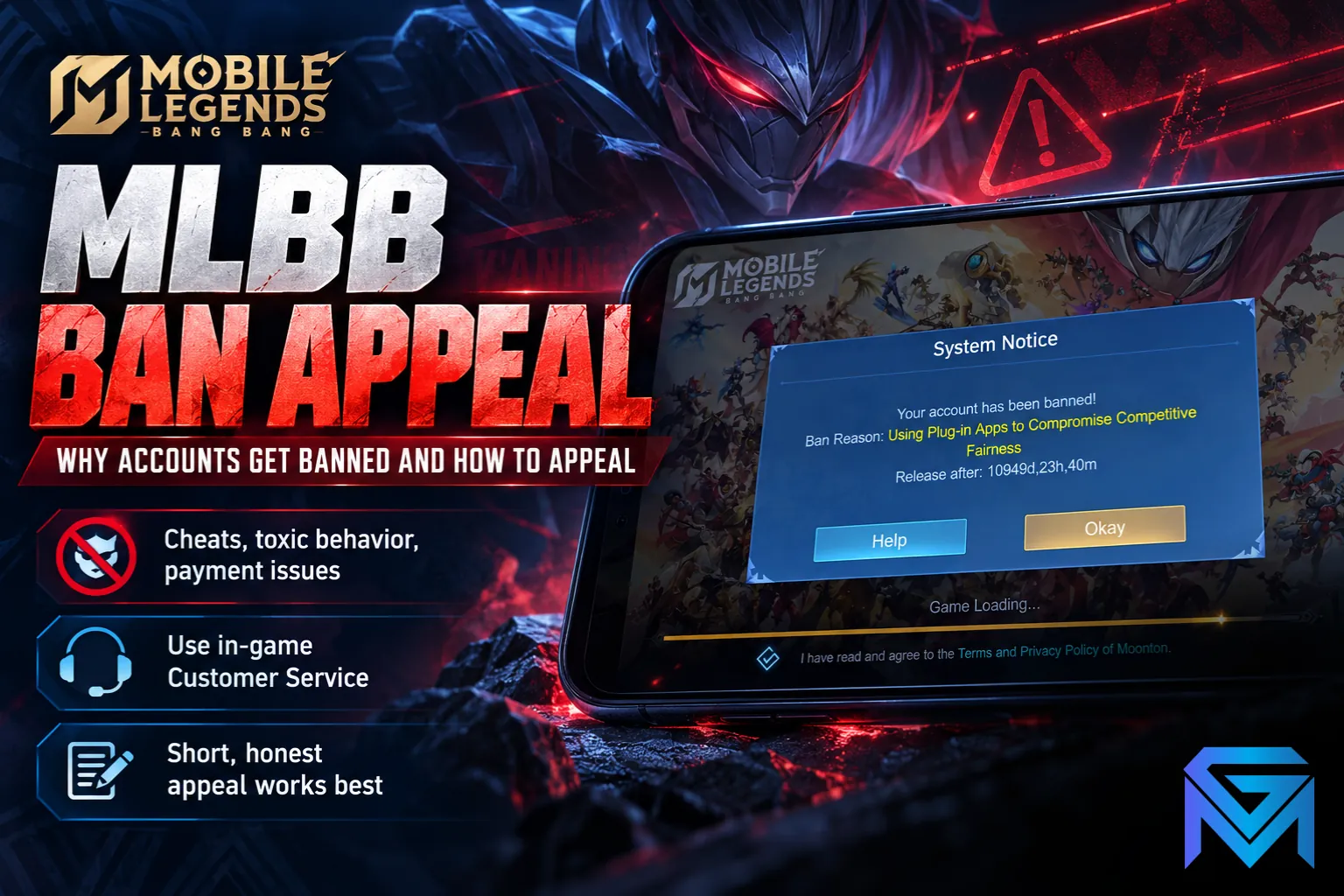
How to get unbanned in Mobile Legends depends on the kind of penalty you have. Temporary bans expire on their own, ranked restrictions lift once your credit score recovers, and only a ban you believe is a mistake is worth appealing, through the in-game Customer Service chat or Moonton's support email. An appeal works best when it is short, honest and includes your player ID, server ID and the date of the ban.
This guide explains the different penalties in MLBB, why accounts get banned, how to appeal step by step, what to write, and what to expect afterwards.
The Different Penalties in MLBB
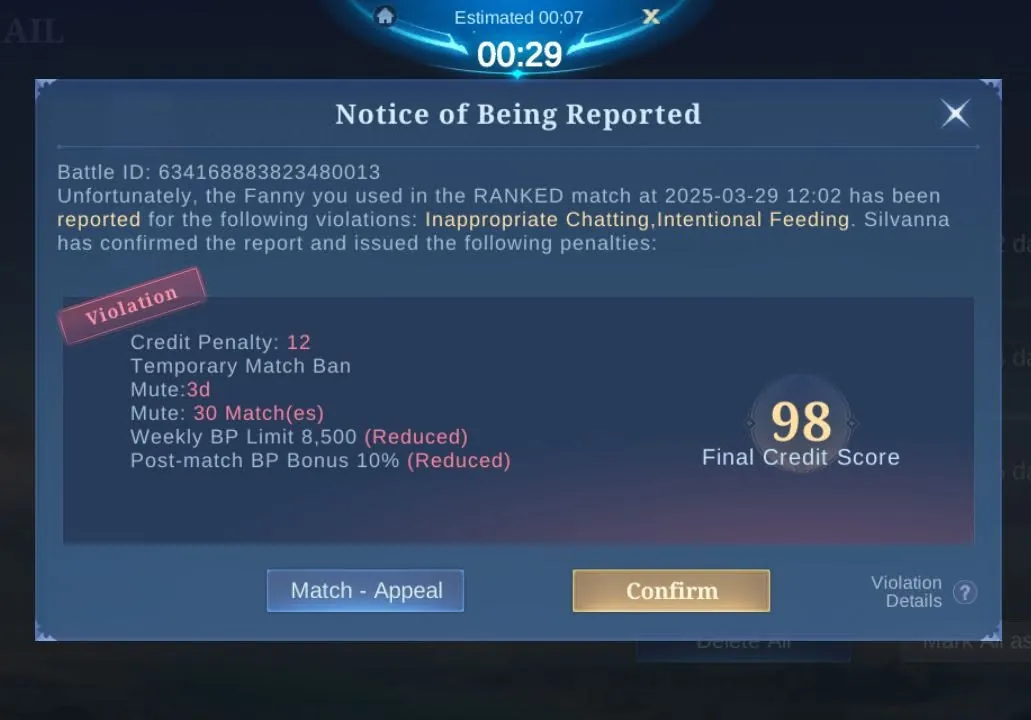
Not every restriction in Mobile Legends is a ban, and the right response depends on which one you have:
- Credit score restrictions. Your credit score drops for behaviour such as going AFK, feeding or toxic chat. Below certain levels, modes lock: Ranked needs a score of at least 90, while Classic, Brawl and Arcade need at least 60. Below that, only Vs AI and Custom remain open.
- Temporary bans. A suspension for a set period, from hours to days, usually after repeated misconduct or suspicious activity. These end automatically.
- Permanent bans. The account is locked for good, along with its heroes, skins and progress. These are reserved for serious violations such as confirmed cheating.
- Device bans. In severe cases, the device itself can be blocked, which also affects other accounts used on it.
When you try to log in, the system notice tells you which of these applies, along with the duration where there is one. Read it carefully before doing anything else.
Why Accounts Get Banned
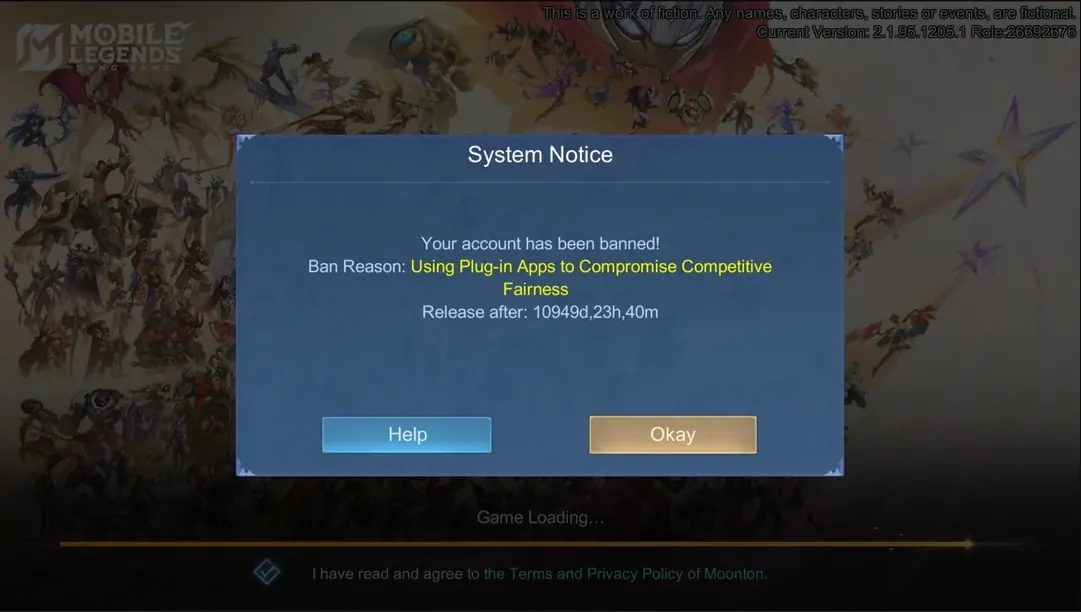
Most MLBB bans come from a short list of causes:
- Cheats and third-party tools. Map hacks, drone view hacks, scripts, modified game files and any app that changes gameplay are the most common route to a permanent ban.
- Disruptive play. Repeated AFK, intentional feeding and throwing games lead first to credit score losses and then to bans if they continue.
- Toxic behaviour. Abusive, offensive or hateful chat can lead to restrictions and bans, especially when reports against you are verified.
- Payment problems. Diamonds bought through unofficial or stolen payment methods, and refunds or chargebacks after a purchase, can get an account banned. Buying diamonds only through official top-up channels avoids this, and what each skin tier really costs in diamonds helps you plan purchases without shortcuts.
- Account rule violations. Moonton's terms do not allow accounts to be shared, sold or traded, and suspicious login activity on an account can also trigger action.
- Compromised accounts. If someone else logged in and used cheats or abused the account, the ban lands on the account, even though you were not the one playing.
Some location tricks also cause problems. Changing region with a VPN can cause connection and account issues, and the safe ways to change server or location are covered in how to change your MLBB server and region the right way.
Check What Kind of Ban You Have First
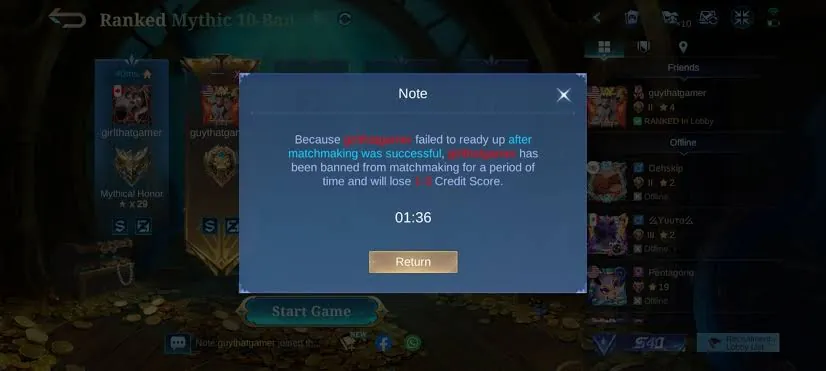
Before you appeal, work out whether an appeal is even needed:
- A temporary ban with a timer will lift on its own. Appealing rarely speeds it up, so it is usually better to wait it out and avoid the same behaviour afterwards.
- A ranked or mode restriction comes from your credit score, not a ban. It is fixed by playing, as explained further below.
- A permanent ban, or a ban you believe is wrong, is where an appeal makes sense, for example if your account was hacked, if you never used any third-party tools, or if the reason given does not match anything you did.
Take a screenshot of the ban notice before you start. It shows the reason and duration, and it is useful evidence for your appeal.
How to Appeal a Ban in Mobile Legends
There are two official ways to appeal a ban in Mobile Legends:
Through the game:
- Open Mobile Legends and wait for the system notice that shows the ban.
- Tap the help or support option on the notice, or open the Customer Service icon from the main screen, to reach the support chat.
- Choose the option to report or appeal, and open the appeal form.
- Enter your player ID and server ID, both shown on your profile.
- Explain your situation briefly and attach your screenshot, then submit.
By email:
Send your appeal to Moonton's support address, [email protected], with a clear subject such as "Account Suspension Appeal" followed by your player ID. Include the same details you would put in the in-game form.
Use one channel and wait for a reply rather than sending the same appeal many times. Duplicate tickets do not speed anything up and can make your case harder to follow.
What to Write in Your Appeal
A good appeal is short, specific and polite. Include:
- Your player ID and server ID.
- The date the ban started and the reason shown in the ban notice.
- A brief, factual explanation of why you believe the ban is a mistake, or what happened if your account was compromised.
- Supporting evidence that directly relates to your case, such as the ban notice screenshot, proof of official purchases, or evidence that your login details were changed by someone else.
- Your contact email for the reply.
A simple structure works well: state who you are, state what happened, explain why you are appealing, and ask for a review. Keep emotional language, arguments with the moderation team, and unrelated attachments out of it. If you did break a rule, saying so honestly and explaining that it will not happen again is more credible than denying it.
What Happens After You Appeal
Moonton reviews appeals manually, so replies can take anywhere from a few hours to several days depending on the case. While you wait:
- Keep an eye on your email and in-game messages, since the reply may ask for more information.
- Follow up once, politely, if you have heard nothing after about a week.
- Do not create new accounts to get around the ban, and avoid cloning apps or other tools to bypass the ban screen, since that can get your other accounts banned too.
Not every appeal succeeds. Bans for confirmed cheating are rarely reversed, and the final decision is Moonton's. Appeals tend to succeed when the ban was clearly a mistake or when the account was used by someone else without permission.
Restrictions You Fix by Playing, Not Appealing
Credit score restrictions do not need an appeal. Your score recovers as you play:
- Each completed match adds a point, win or lose, while your score is below 100.
- Your first login each day adds a point while you are below 100.
- A daily cap limits how fast you can recover, and the cap is higher when your recent violation rate is low.
So the quickest way back to Ranked is to play complete, clean matches in the modes still open to you, without leaving early or declining matches you have queued for, until your score is back above 90.
How to Keep Your Account Safe From Future Bans
Most bans are avoidable with a few habits:
- Never install map hacks, scripts, modded clients or any app that claims to give an advantage.
- Buy diamonds only through official channels, and never request a refund or chargeback on a purchase you have used.
- Finish the matches you start, and accept the matches you queue for.
- Keep chat respectful, or mute it if a match gets heated.
- Protect your login. Bind your account to a secure email or social login, never share your password, and change it immediately if you notice anything suspicious.
A permanent ban means losing everything on the account, which is why protecting it is worth far more than any shortcut. If a ban cannot be reversed and you need to start again, you can look at Mobile Legends Accounts with the heroes and skins you want, hand the daily grind on your new account to a player through Mobile Legends Hourly Services, or reach the rank you are aiming for with Mobile Legends Boosting.
GameMarket.gg is a trusted digital marketplace for everything gaming-related. We serve the gaming community by providing secure access that enhances every gaming journey.


![Mobile Legends: Bang Bang Accounts Collector Hero 133|Skin 232|Ex Glory 52|Harith LBorn,[Layla,Franco,Esme]Blazing,Johnson](https://img.gamemarket.gg/products/4atncgdj/mobile-legends-bang-bang-accounts-hero-133-skin-232-ex-glory-52-harith-lborn-layla-jmu-thumbnail.webp "Hero 133|Skin 232|Ex Glory 52|Harith LBorn,[Layla,Franco,Esme]Blazing,Johnson SABER,Gusion VENOM,Masha DTamer|Takemail|MLBB2668")